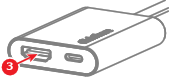
5.5.7 Wired video input connection

DisplayPort Alt Mode
DisplayPort alternate mode allows compatible USB-C ports to function as DisplayPort ports. These ports can send DisplayPort signals alongside any other data or power that is normally supported by standard USB ports.
About wired video input

Wired video input allows a device to connect to the display with a wired connection through ClickShare. This connection does not support peripherals. Meaning, only the local sharing to the connected displays as an extended screen is supported.

About wired charging

Any Base Unit that is powered by the 180W power supply can provide power to the connected device over the wired video connection. This charging is only possible over a ‘USB-C’ connection with DisplayPort Alt Mode. ‘HDMI’ does not support charging over ‘HDMI’ cables.

How to connect
  1. Does the desired ‘USB-C’ port on the device support DisplayPort Alt Mode?

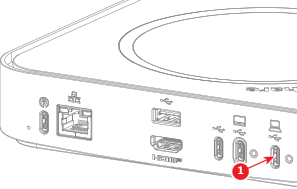
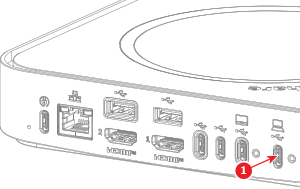
    • If no, connect an ‘HDMI’ cable from the ‘HDMI out’ port of the device to the ‘USB-C input convertor’ connected to the ‘USB-C’ port (reference 1) of the Base Unit.
    • If yes, connect a ‘USB-C’ cable from the ‘USB-C’ port of the device to the ‘USB-C’ port (reference 1) of the Base Unit.
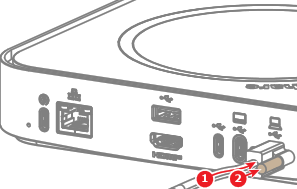
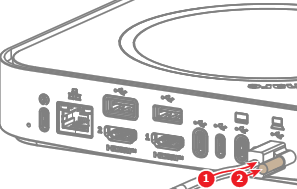
    Tip: Secure the ‘USB-C’ cable to the‘ USB-C’ port with the USB-C cable lock. For more information, see “Securing the USB-C cables to the Base Unit”.
    Image 5–64 For Hub Core
    Image 5–65 For Hub Pro