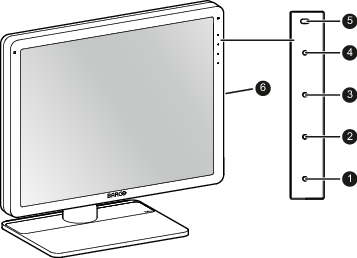
OverviewImage 1–1 Down keyUp keyMenu keyStandby keyPower LEDsRight side downstream USBNote: The key icons are displayed next to the keys, adapted to the function that it is used for (menu dependent). See “Navigating through the OSD menus”.