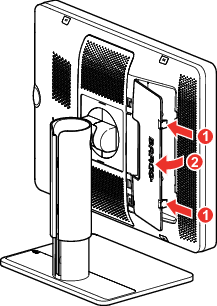
To remove the connector compartment coverGently push the two lips on the side of the coverSlightly pull the cover away from the display and remove the cover.Image 2–3