

Overview
The panel, standard attached to the tilt & swivel foot, is compatible with the VESA 100 mm standard. So it can be used with an arm stand according to the VESA 100 mm standard.
Therefore, the tilt & swivel foot must be removed from the panel.
Put the display in the lowest position and fasten the height mechanism, see “Unlocking the height mechanism”.
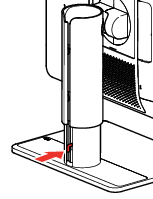
Image 2–7 - Put the display face down on a clean and soft surface. Be careful not to damage the panel screen.
Remove the plastic cover with a flathead screw driver.
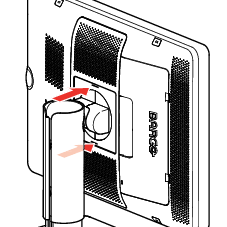
Image 2–8 Slide the plastic cover over the neck of the foot.
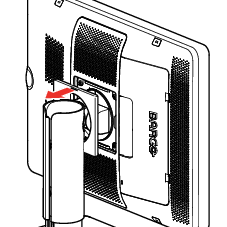
Image 2–9 Remove the four screws fixing the foot while supporting the foot.
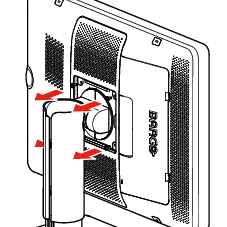
Image 2–10 - Attach the arm stand firmly to the panel using 4 screws M4 x 8 mm.