About editing a Base Unit(s)
The location of Base Units can be changed to any location in the location tree.

The location of Base Units can be changed to any location in the location tree.
Select the Base Units to edit (1).
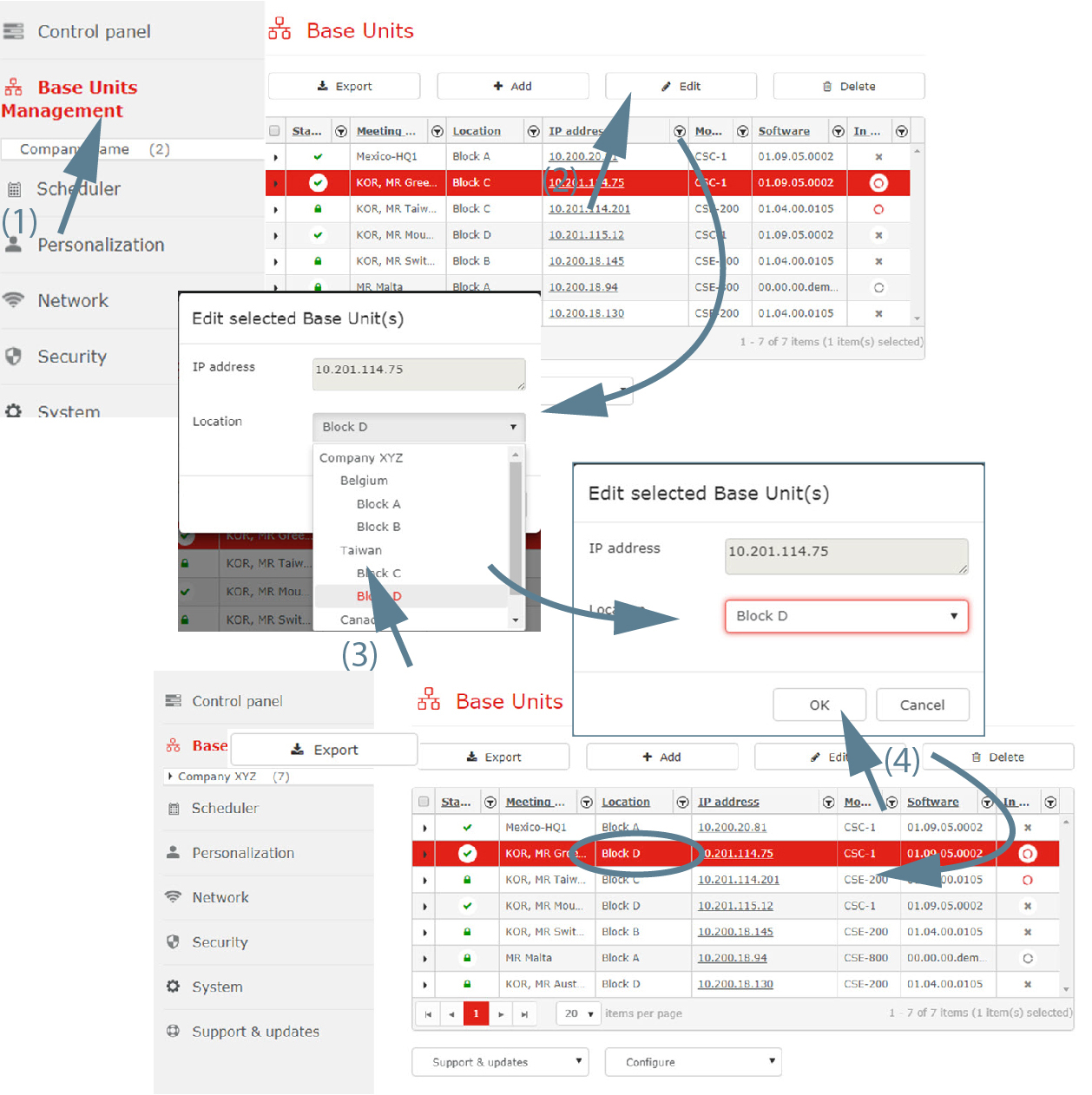
Click on the Edit button (2).
The window opens. The current location is indicated.
Click on OK (4).
The Base Units are updated with the new location.
Changes can be made to the hostname or IP address directly on WebUI of the Base Unit. These changes are reflected in XMS (virtual) Edge
How it works:
Any change made to an IP address or hostname are automatically updated in XMS.