About Base Unit settings
The current settings of a Base Unit can be cloned (copied) on other Base Units of the same model. A wizard will guide you through the process.


The current settings of a Base Unit can be cloned (copied) on other Base Units of the same model. A wizard will guide you through the process.
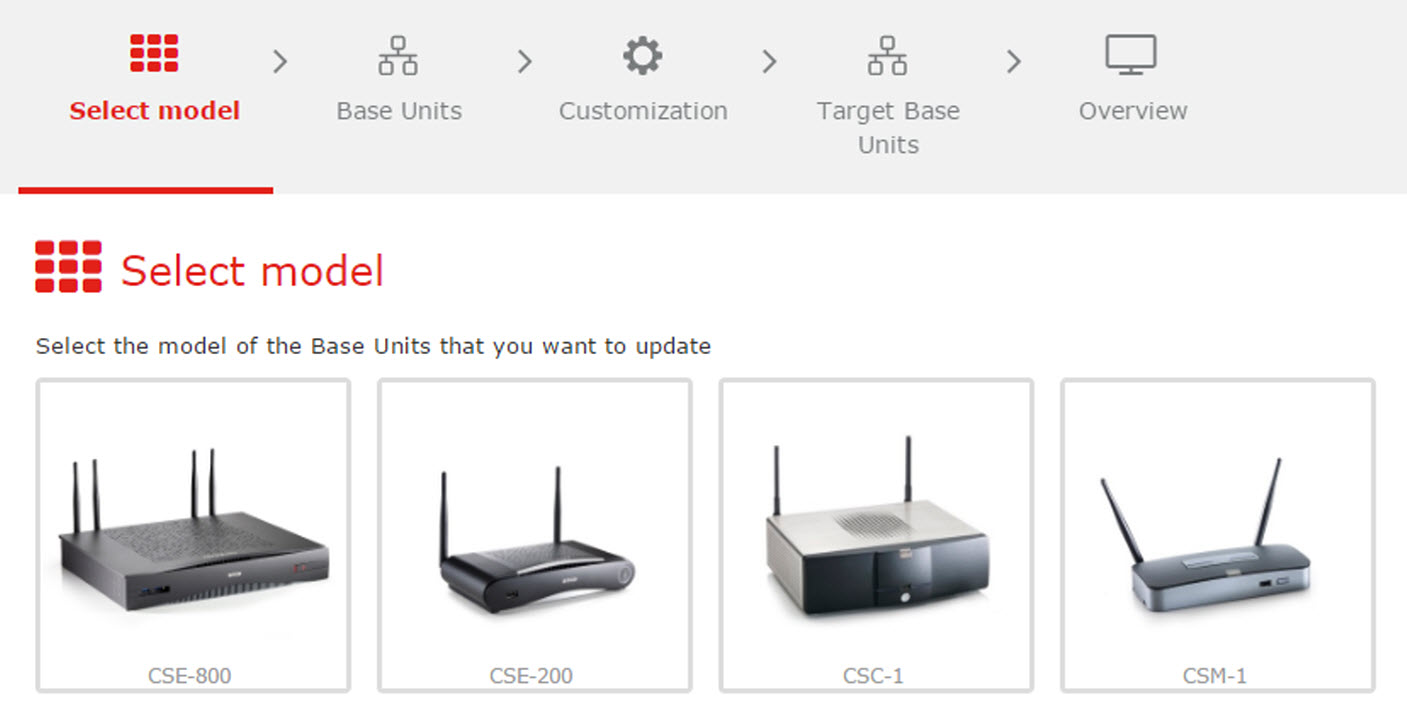
Select your model of the Base Units you want to update and click Next.
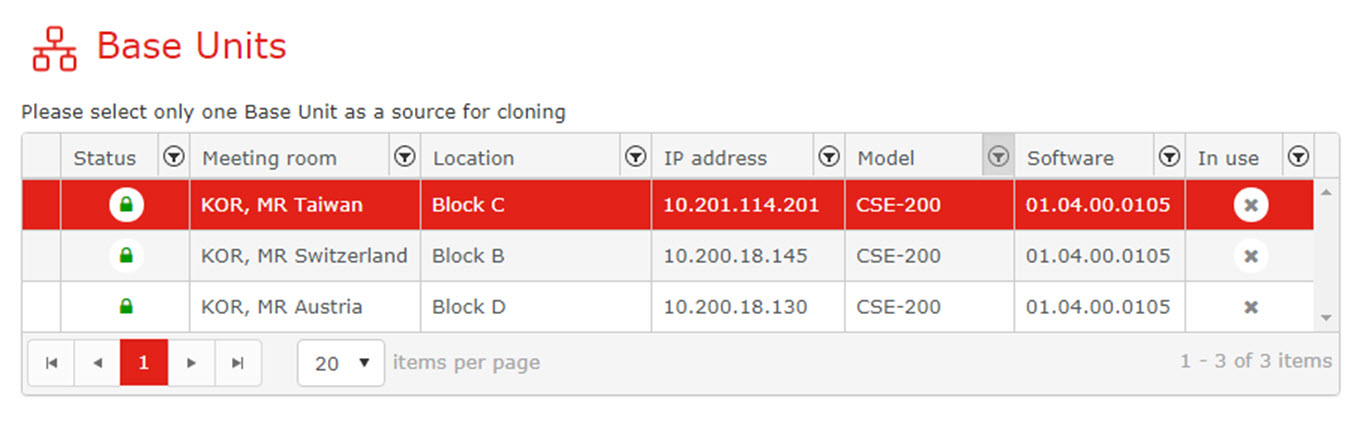
Select you source Base Unit and click Next.
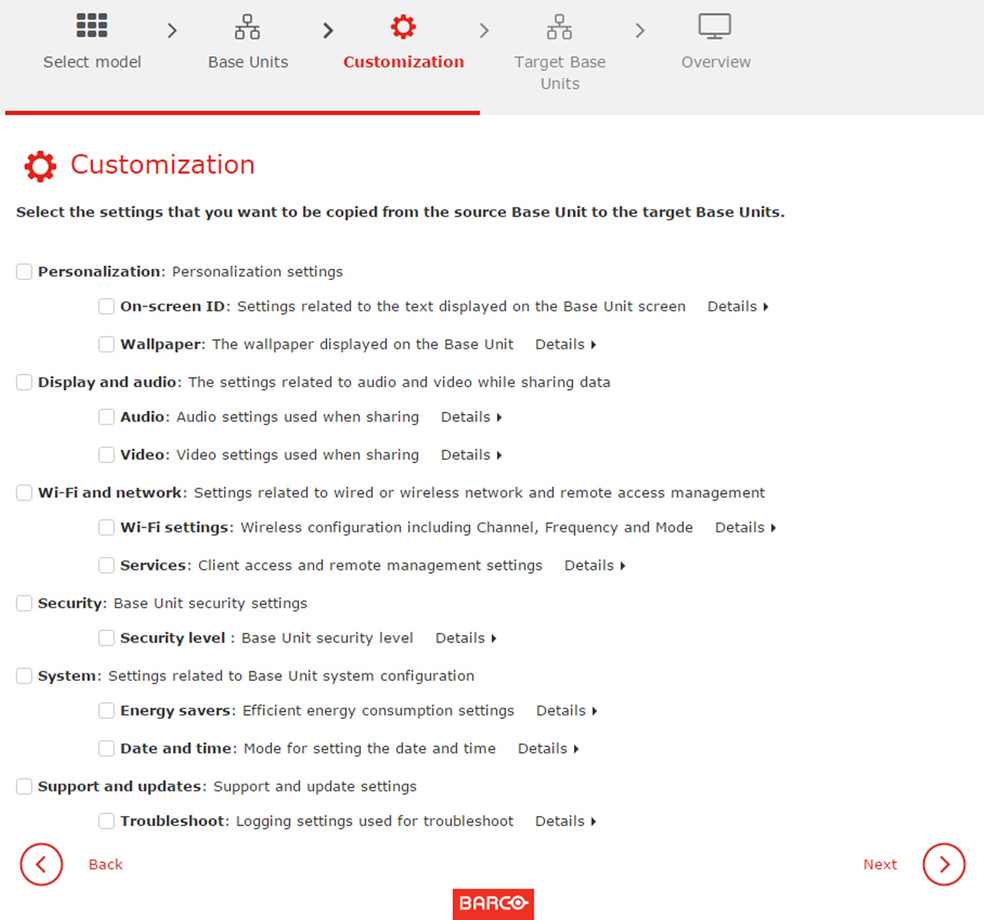
Select the settings that you want to be copied from the Base Unit. Check the check boxes in front of the desired settings and click Next.
To get more detailed information about a certain customization setting, click on Details next to the setting.
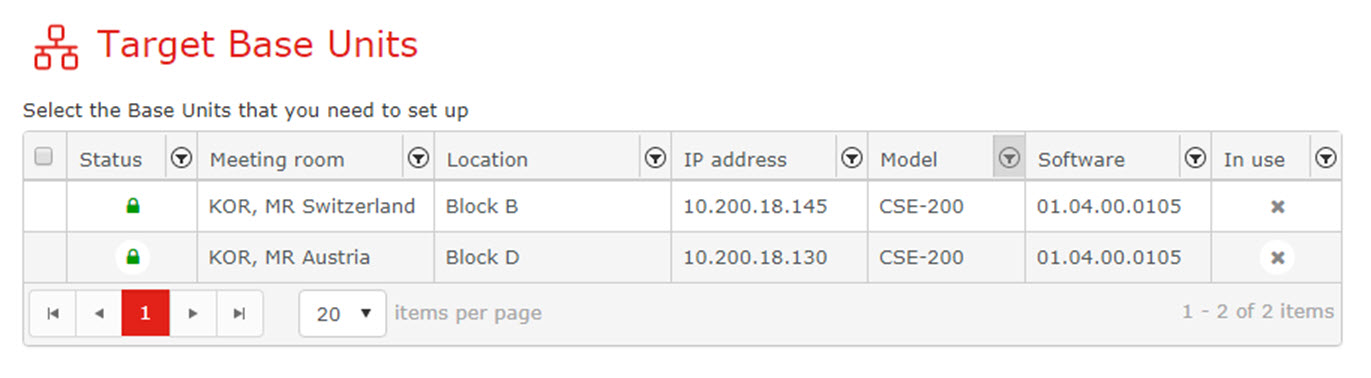
Select the target Base Units and click Next.