What can be done?
A new location can be added to the location tree via the locations overview page

A new location can be added to the location tree via the locations overview page
Select Personalization and click on Locations to display the locations page (1).
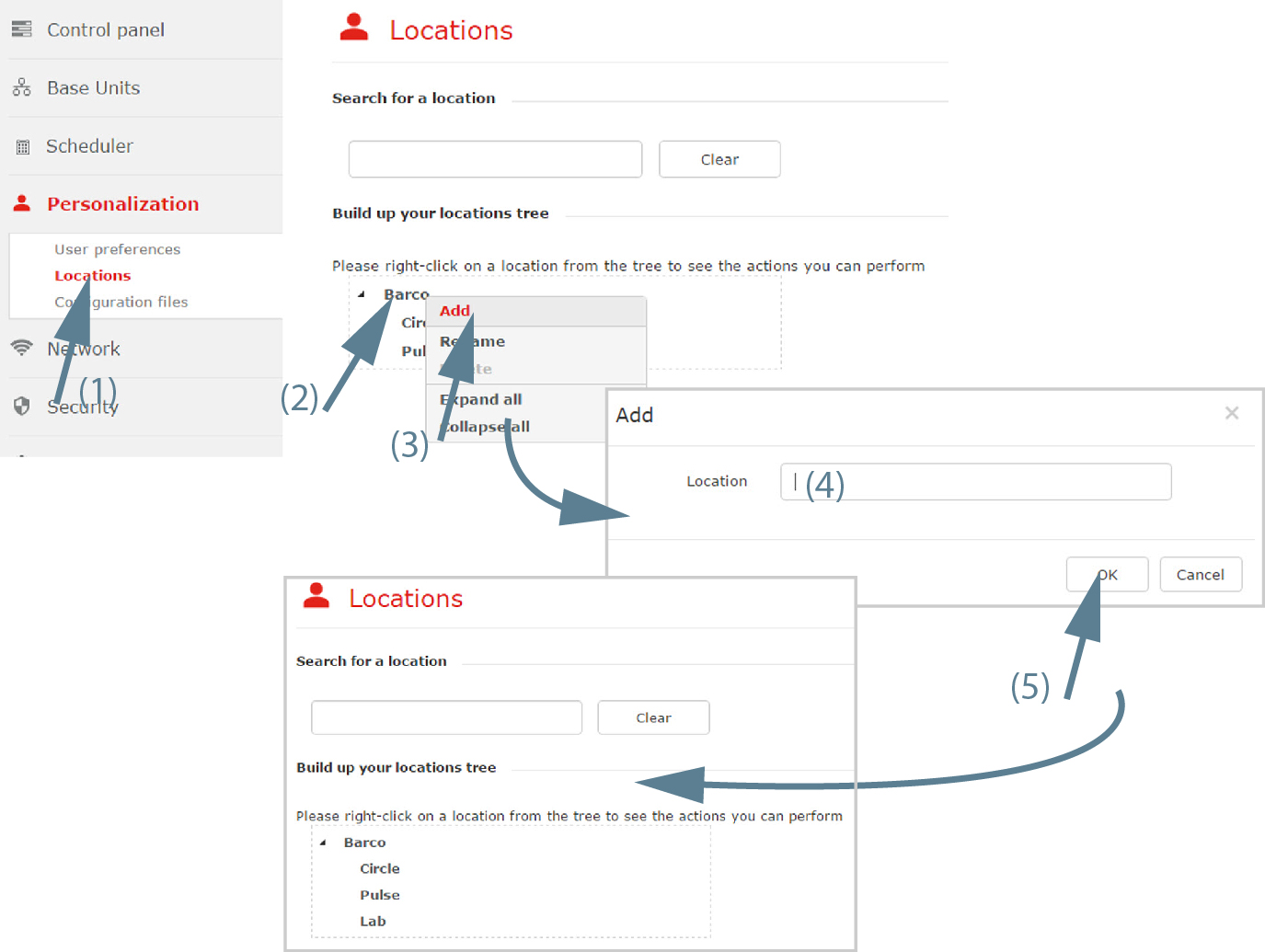
Right click on a location in the tree where to add a new location (2).
A context menu opens.
Select (3).
A window opens.
Enter a name for the location (4) and click OK (5).

The new location is added to the selected branch.