3.4.4.4 Network integration, PEAP security mode

About PEAP

PEAP (Protected Extensible Authentication Protocol) is an EAP implementation co-developed by Cisco Systems, Microsoft and RSA Security. It sets up a secure TLS tunnel using the servers CA certificate after which actual user authentication takes place within the tunnel. This way of working enables it to use the security of TLS while authenticating the user but without the need for a PKI.

The standard does not mandate which method is to be used to authenticate within the tunnel. But in this application note, with regard to PEAP, we are referring to PEAPv0 with EAP-MSCHAPv2 as the inner authentication method. This is one of the two certified PEAP implementations in the WPA and WPA2 standards – and by far the most common and widespread implementation of PEAP.
Start up for PEAP
  1. Select the radio button next to PEAP and click Next.

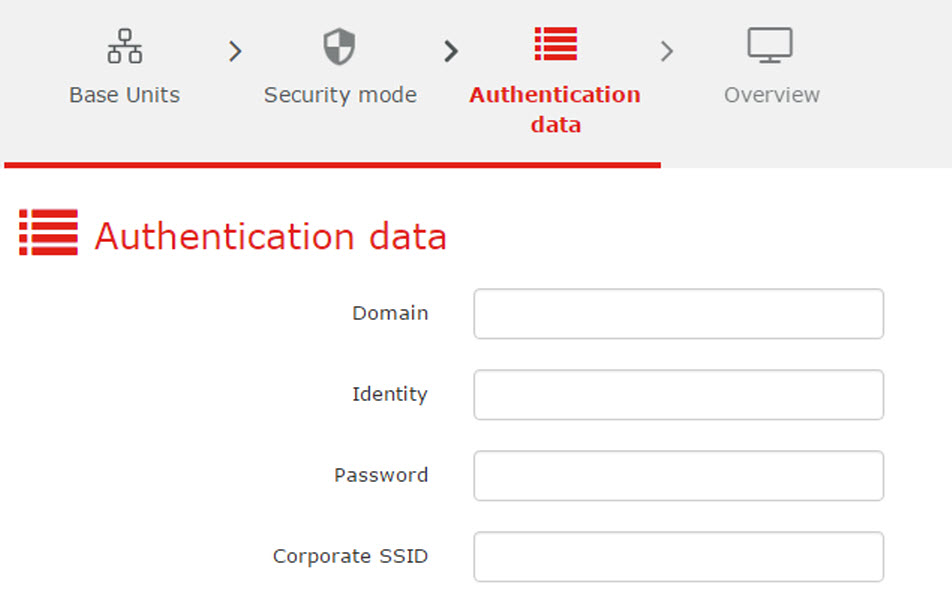
    The PEAP window opens.

    Image 3–56 PEAP, authentication data

    Necessary Data to continue:

    DomainThe company domain for which you are enrolling, should match with the one defined in your Active Directory.
    IdentityIdentity of the user account in the Active Directory which will be used by the ClickShare Buttons to connect to the corporate network.
    PasswordThe corresponding password for the identity that you are using to authenticate on the corporate network. Per Base Unit each Button will use the same identity and password to connect to the corporate network.
    Corporate SSIDThe SSID of your corporate wireless infrastructure to which the ClickShare Buttons will connect.
  2. Click Next to continue.

    The Overview window is displayed.

  3. Click Finish.

    When having problems connecting the Button to your corporate network, to get feedback from the Button please have a look at the ClickShare Client log. This log can be enabled by holding shift when starting the Client executable. Look for the lines “EDSUSBDongleConnection::mpParseDongleMessages”. An error code and a short summary of the issue should be logged.