
How to start up
Enter your E-mail address (1) and password (2).
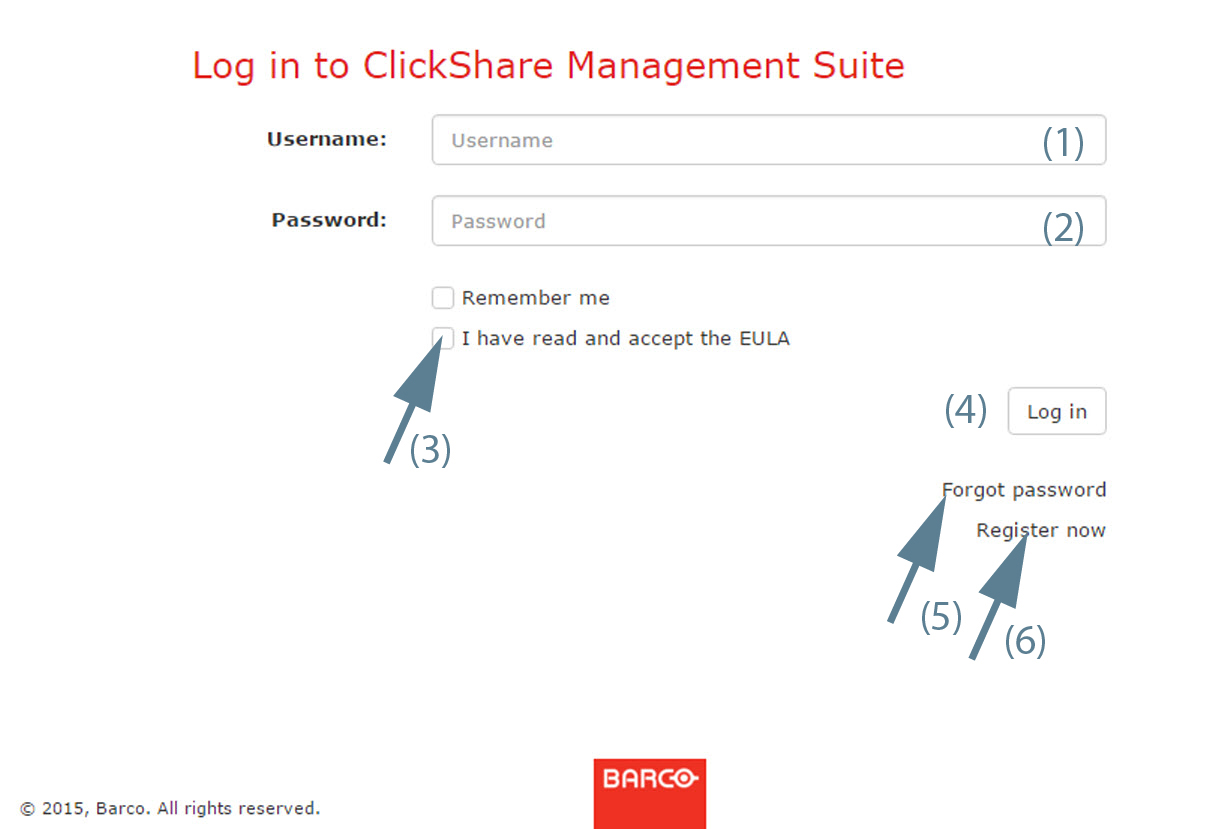
Image 1–4 Login 
If you want to stay logged in, check the checkbox in front of (3).
Read and accept the EULA by checking the check box in front of .
Click Login (4).
Your login credentials are checked and when valid the page is displayed.
Check the checkbox next to . Click Save changes. The is running.
More information about the Device manager application can be found in “Device Manager Application”
- If you forgot your password, click on (5).
- If you are a new user who wants access, click on (6)