What can be done?
The current configuration of a Base Unit can be implemented on other Base Units of the same model.

The current configuration of a Base Unit can be implemented on other Base Units of the same model.
Select the Base Unit to clone (1). Select only a Base Unit with status OK.
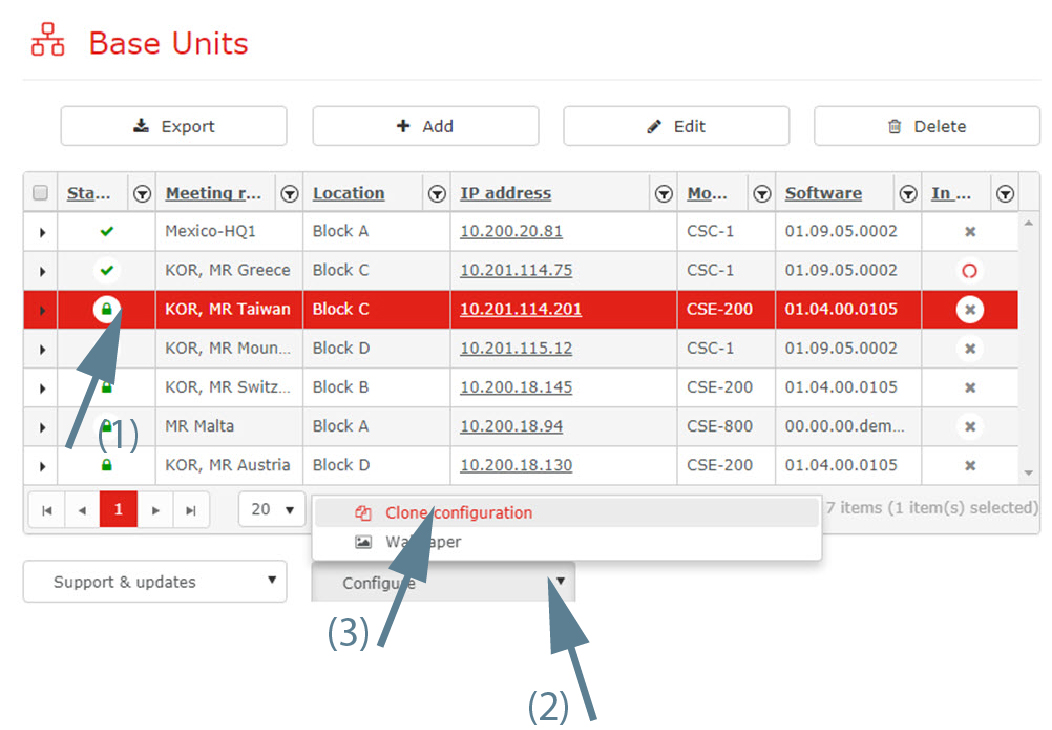
Click on the drop down next to (2) and select Clone configuration (3).
The Customization window opens.
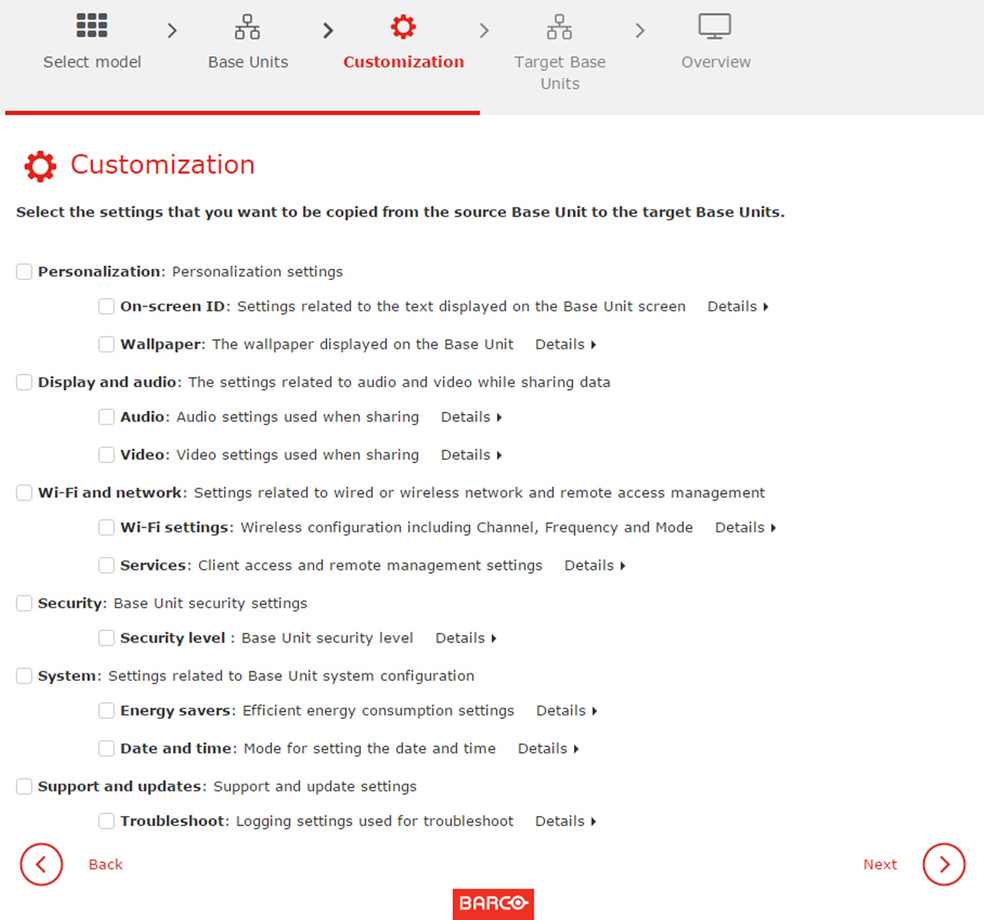
Check the items to be cloned and click Next.
Download of configuration file from the selected Base Unit is started and it will take some time. After a successful download a window with the current possible target Base Units will open.
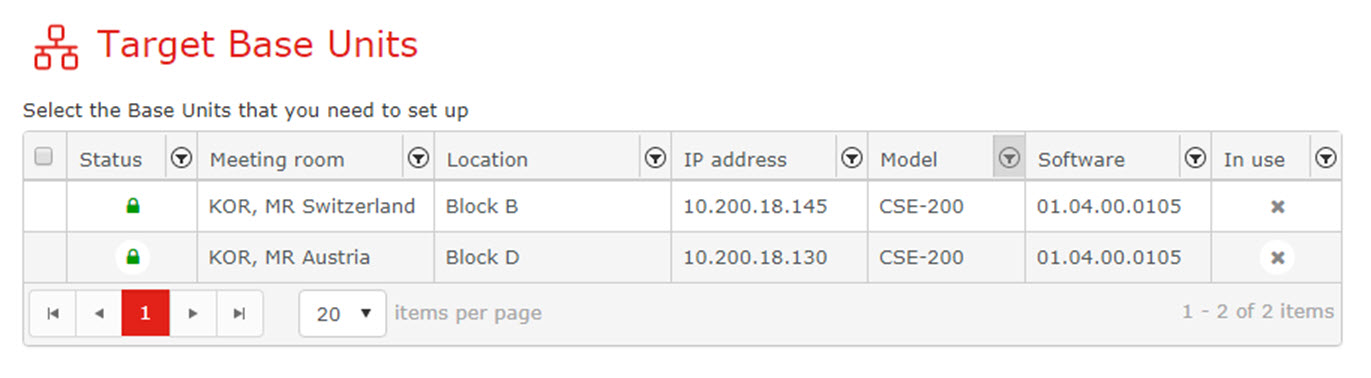
Select the Target Base Units and click Next.
The configuration file previously downloaded is copied to the target Base Units. The Base Units will reboot after the configuration is copied onto them.
