What can be done?
A new user can request access to XMS (virtual) Edge. This request will be sent to the system administrator who can confirm or reject the request. The user can be informed via E-mail.

A new user can request access to XMS (virtual) Edge. This request will be sent to the system administrator who can confirm or reject the request. The user can be informed via E-mail.
On the logon page, click on (1).
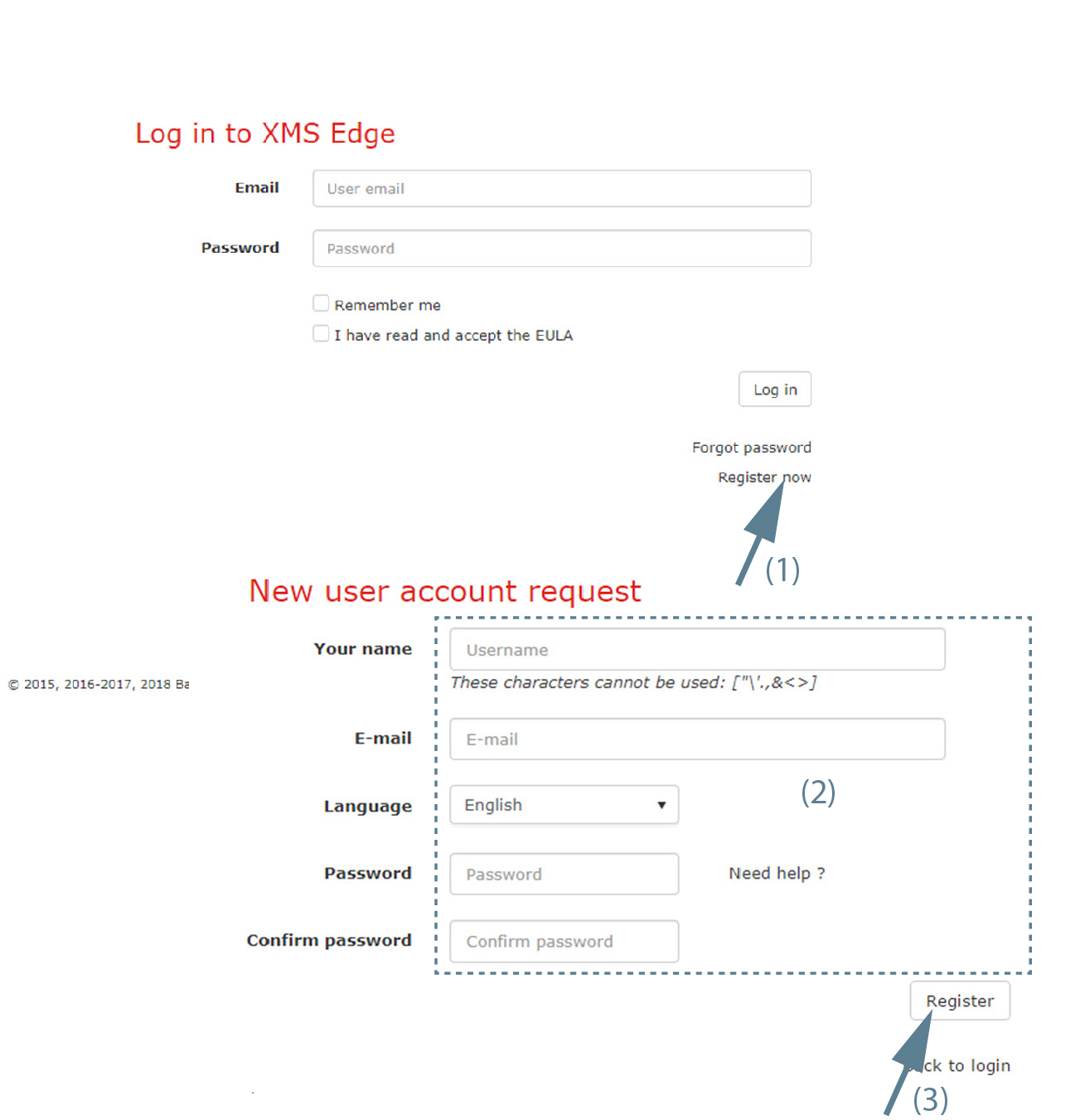
A registration page opens.
Enter the following data (2):