3.2.3 Delete a job

What can be done?

A scheduled job can be removed from the execution list. If a job consists of updates on multiple Base Units all will be removed from the calendar.

Deleting a recurrent Base Units job will offer the user the choice to remove the whole series or just the selected occurrence.
How to remove
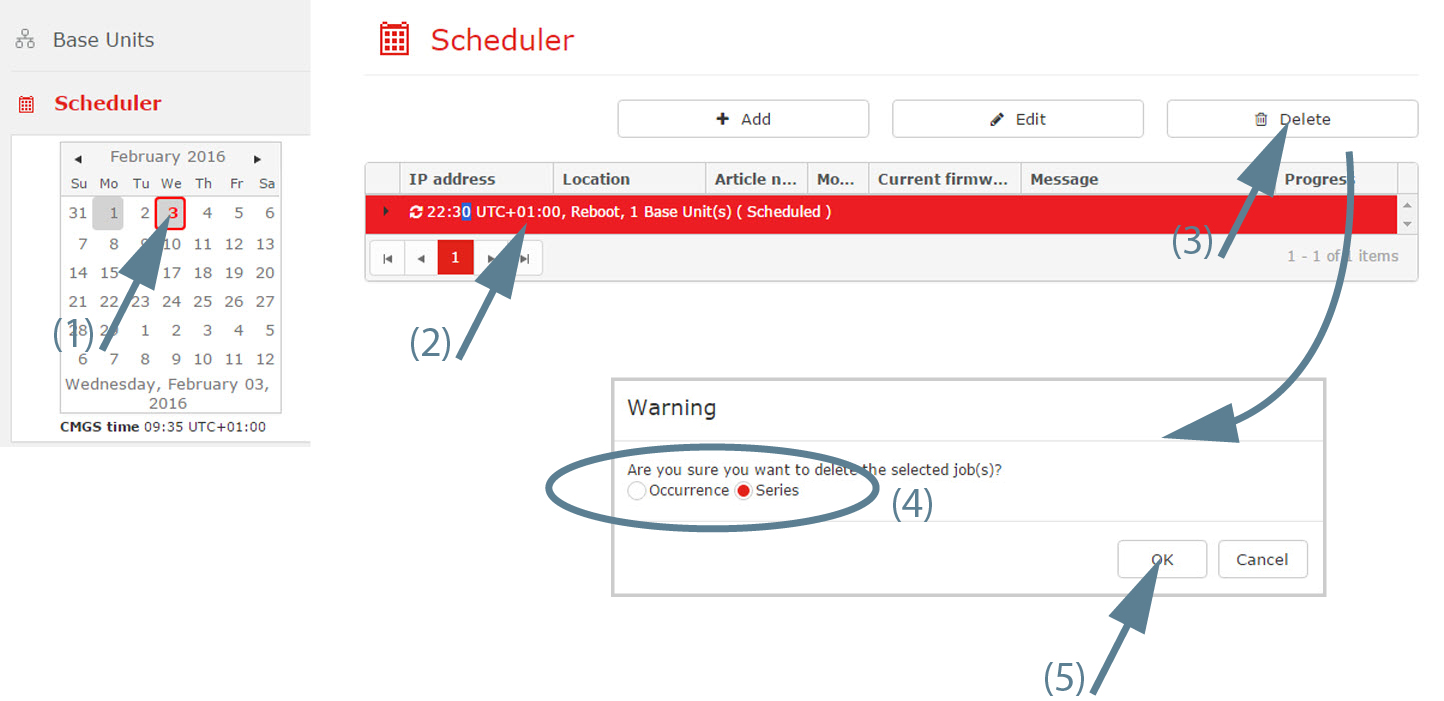
  1. Go to the month and date where the job can be found (1) and select the job (2). (date means year/month/day)

    Image 3–27 Delete scheduled job
  2. Click on the Delete button (3).

    A delete selection window is displayed.

  3. Select Occurence or Series (4).
  4. Click OK to confirm the deletion (5).