
How to report issues
Select Support & updates and click on Troubleshoot (1).
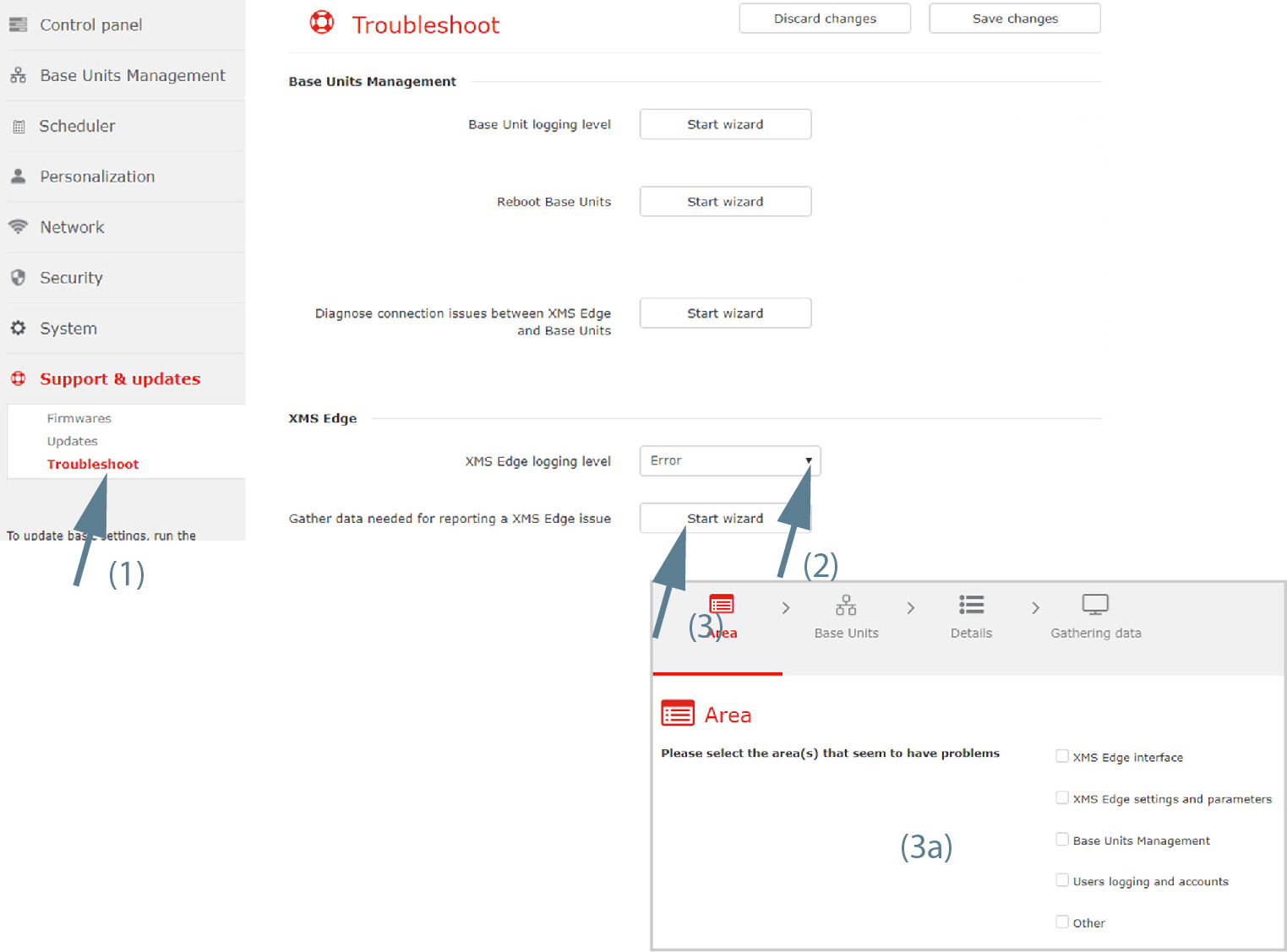
Image 3–97 Report XMS issue - Next to, click on the drop down and select according your choice (2).
- Click Report XMS Edge issue next to (3).
- Select the Area that seems to have problems (3a).
Select the Base Unit(s) where you discovered an issue (4).
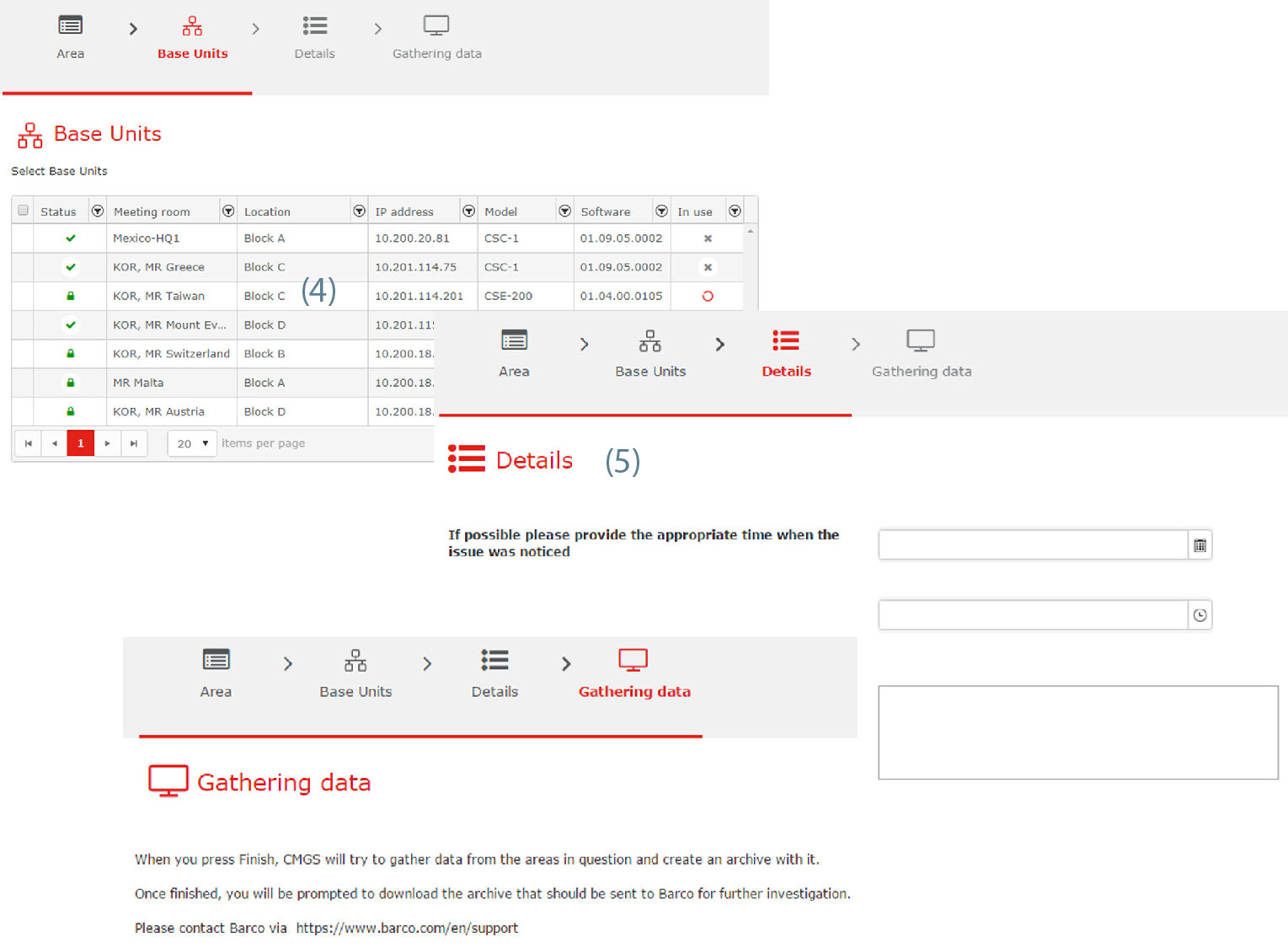
Image 3–98 Report XMS issue Enter more details (5).
- Enter a date with mask or click on the calendar icon and select a month and day.
- Enter a time with mask or click on the icon and select a time out of the drop down list.
- Enter a detailed description
Click Next to gather the data.
An archive will be created and should be downloaded to be sent to Barco for further investigation.
Create a support ticket via https://www.barco.com/en/support