

How to deploy
- In the menu pane, click on Security (1).
Click Start wizard next to (2).
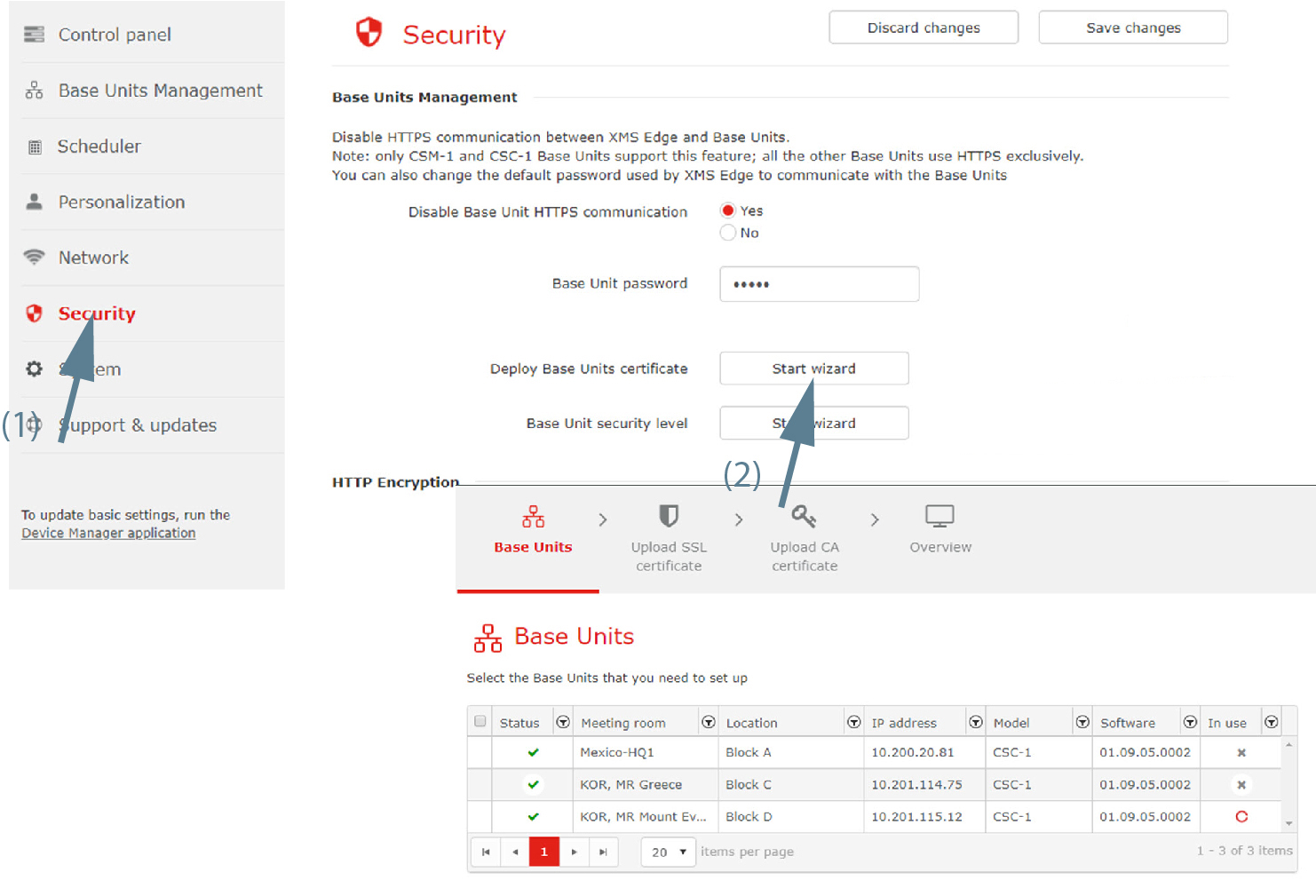
Image 3–61 Security, Base Unit certificate - Select the Base Unit that you need to set up and click Next.
Upload SSL Certificate. Click on upload and browse to the location of certificate file. Click Next to continue.
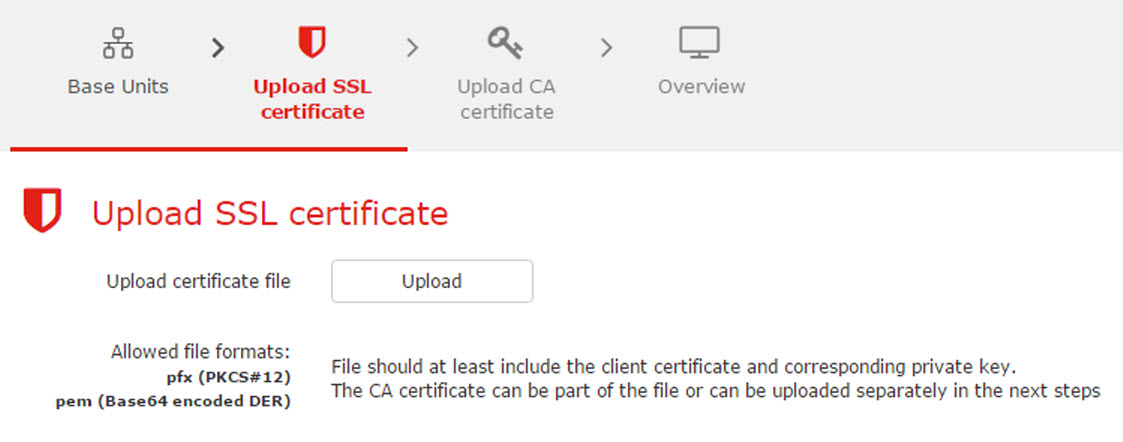
Image 3–62 Upload SSL certificate Upload CA certificate. Enter password.
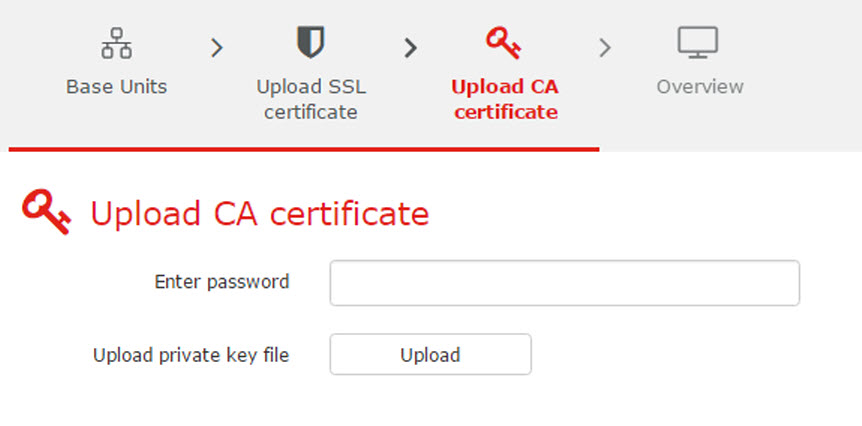
Image 3–63 Upload CA certificate Upload private key file. Click on upload and select the private key file. Click Next to continue.
An window is displayed.
- Click Finish.