
How to set
Select Support & updates and click on Troubleshoot (1).
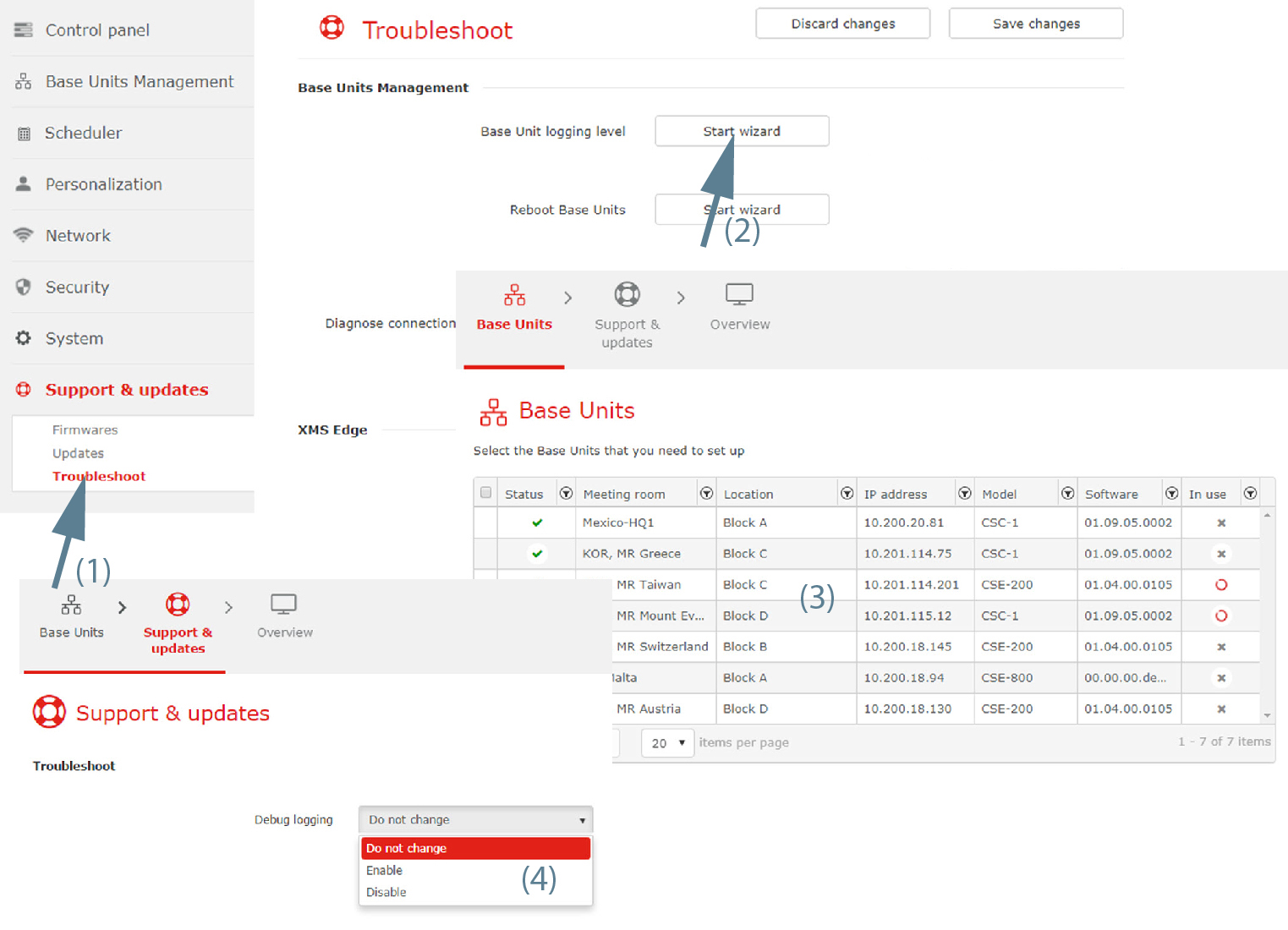
Image 3–89 Troubleshoot, Base Unit logging level - Click Start wizard next to (2).
- Select Base Unit(s) (3) and click Next.
Click on the drop down next to and select the desired setting (4).
The following settings are possible:
- Do not change: the current setting remains active.
- Enable: debug logging is enabled.
- Disable: debug logging is disabled.
Click Next to continue.
An overview page is displayed.
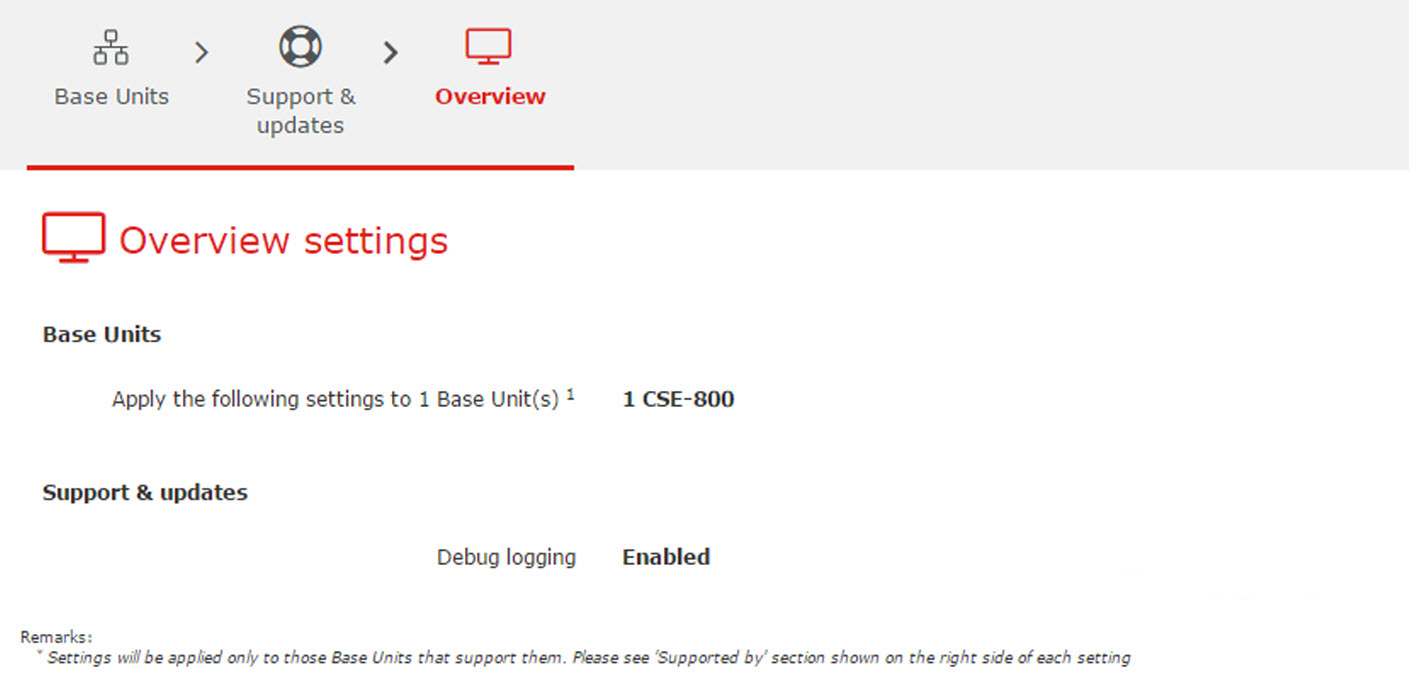
Image 3–90 Overview settings - Click Finish.