
How to setup
Select Support & updates and click on Troubleshoot (1).
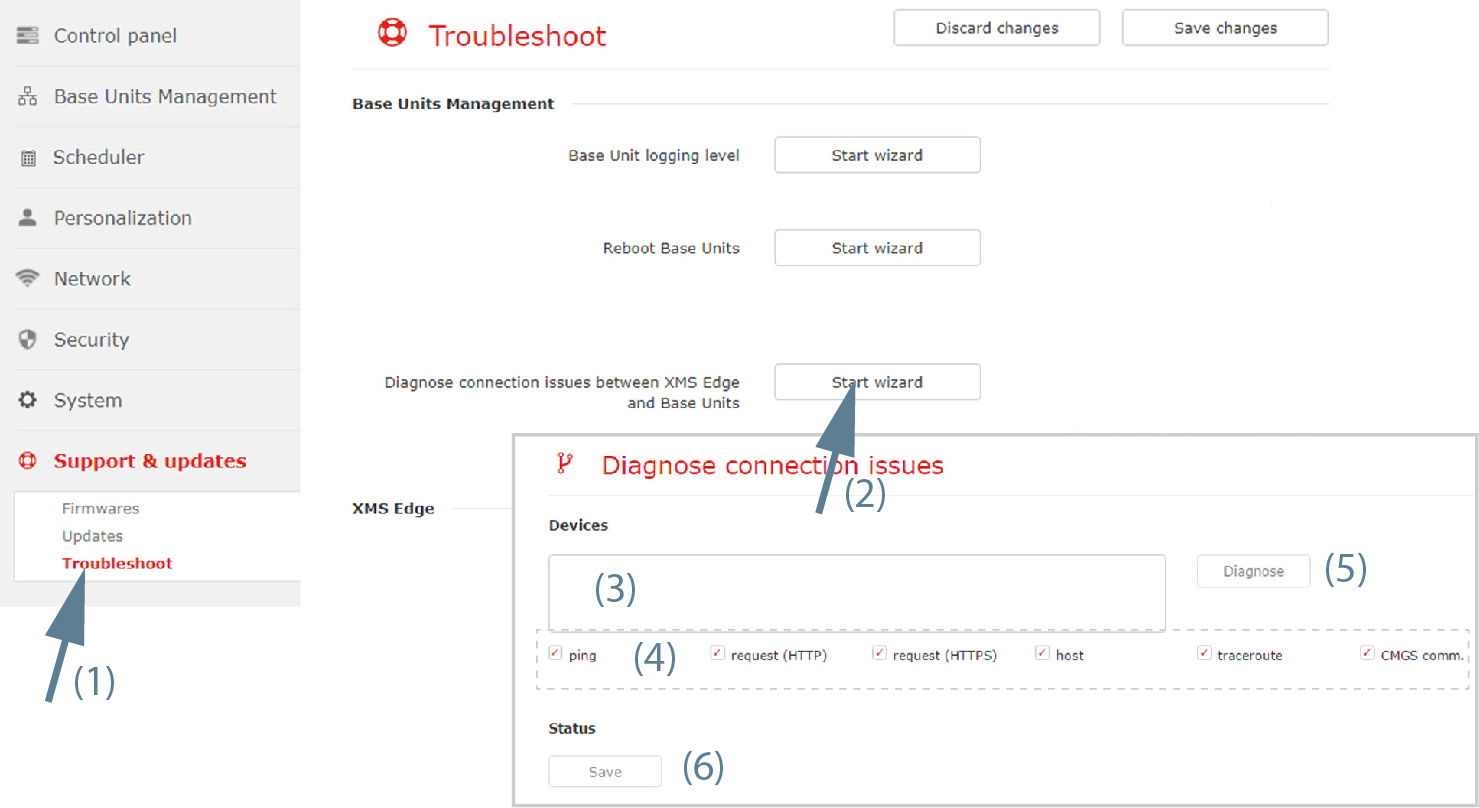
Image 3–93 Troubleshoot, diagnose connection issues - Click Start wizard next to (2).
- Enter the hostnames or IP addresses, separated by a comme, of the Base Units to diagnose (3).
- Check or uncheck the diagnose areas (4).
- Click Diagnose (5).
- To save the diagnose status, click on Save (6).