3.1.2 Auto discovering of Base Units

Note: Only for CSE device range.
What can be done?

New CSE device Base Units on your network might be automatically detected if the XMS (virtual) Edge has the default hostname, or if the user entered the correct XMS (virtual) Edge hostname or IP address in the Base Unit Web UI, page WiFi & NetworkServices. The Base Units are added to a discovered list and displayed on in the Control panel and then in the wizard that will add them in the XMS (virtual) Edge list of available Base Units.
Auto discovery
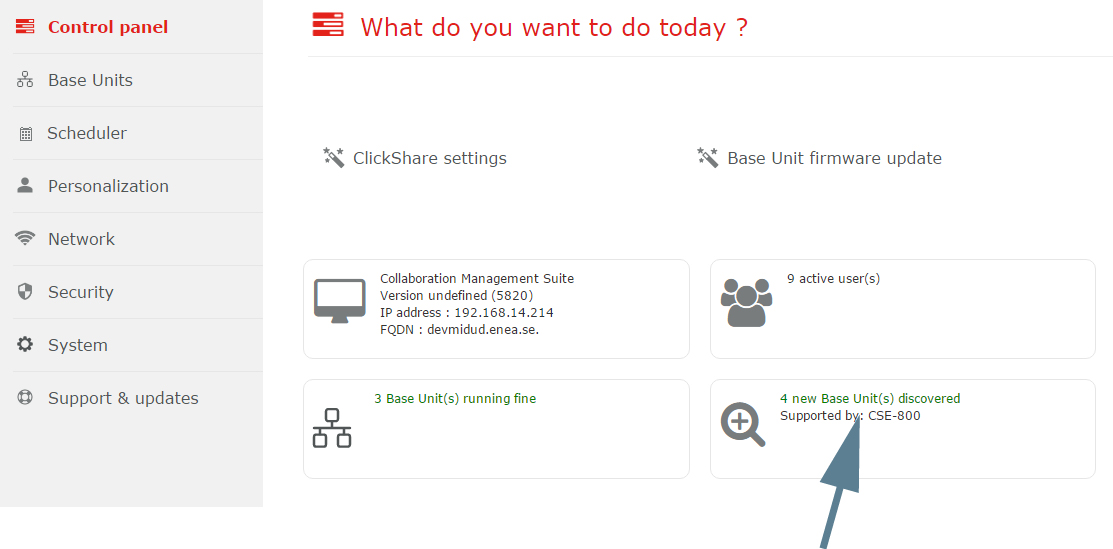
  1. On the Control panel page, click on the new Base Units message.

    Image 3–2 Auto-discover Base Units

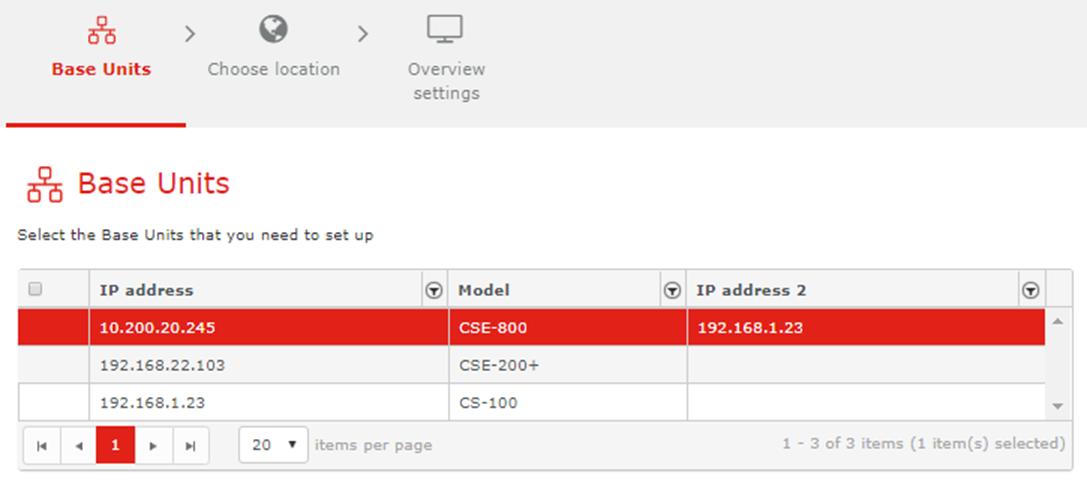
    The Base Unit list is displayed and the Base Units can be set up.

  2. Select the Base Unit(s) to set up and click Next.

    Image 3–3 Select Base Units
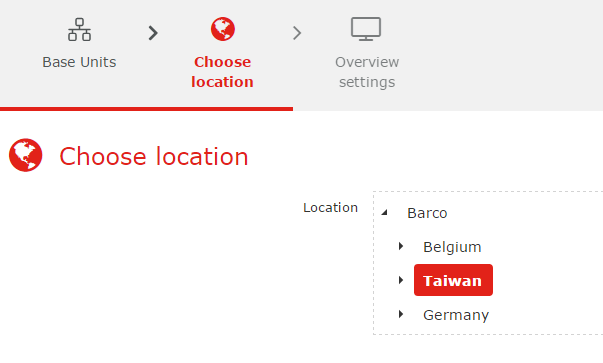
  3. Select the Location. Click on the arrow to expand the list and select the desired location. Click Next to continue.

    Image 3–4 Choose location

    A confirmation message is displayed that x Base Units are added successfully.

  4. Click OK to continue.

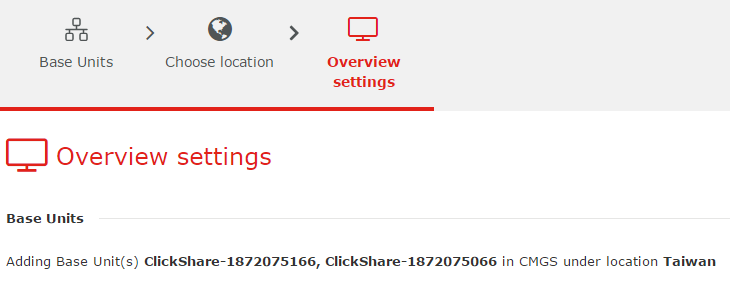
    An overview of the settings is displayed.

    Image 3–5 Overview settings
  5. Click Finish.