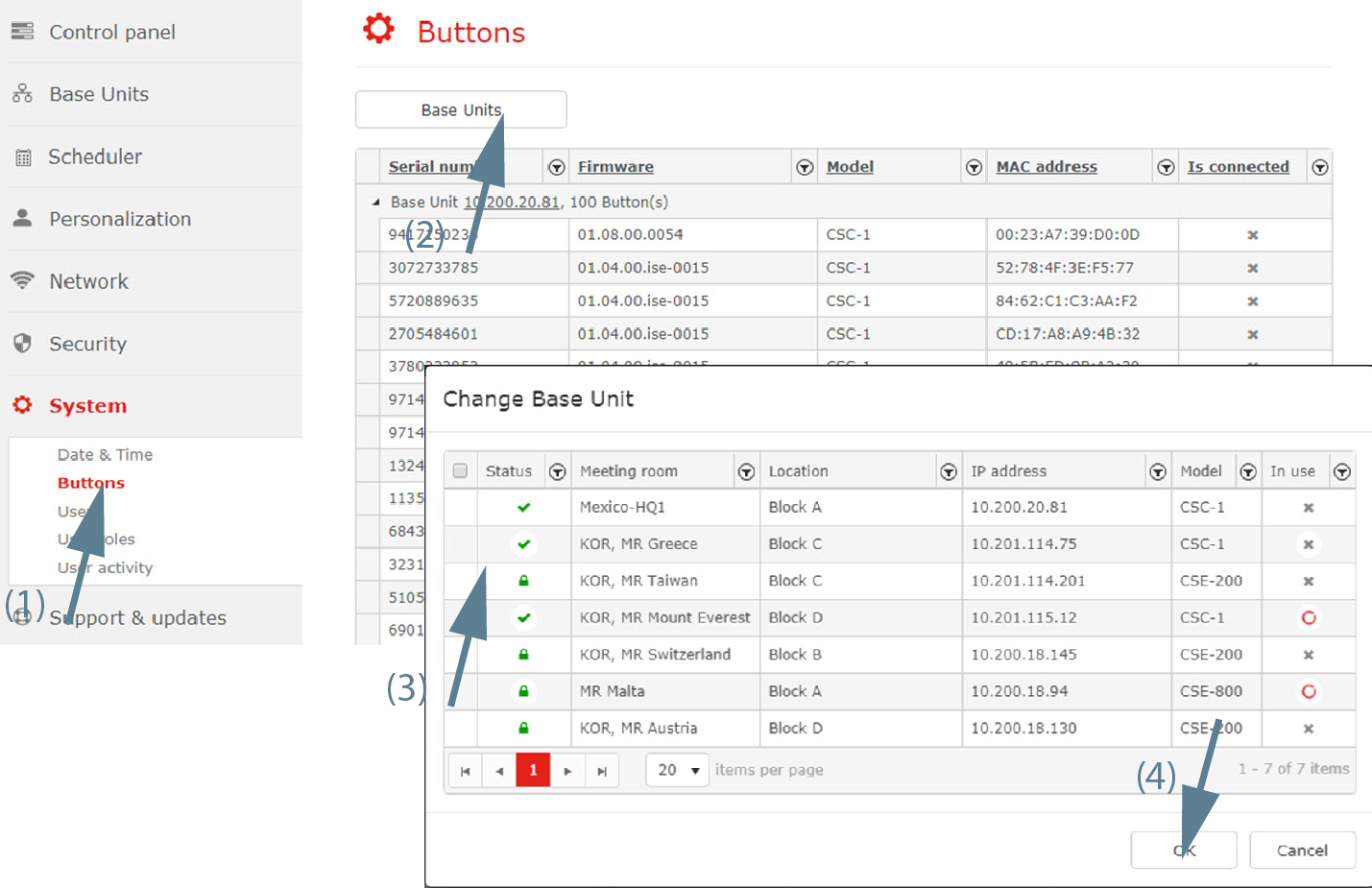
Buttons connection to Base Units
In the menu pane, click on System and select Buttons (1).
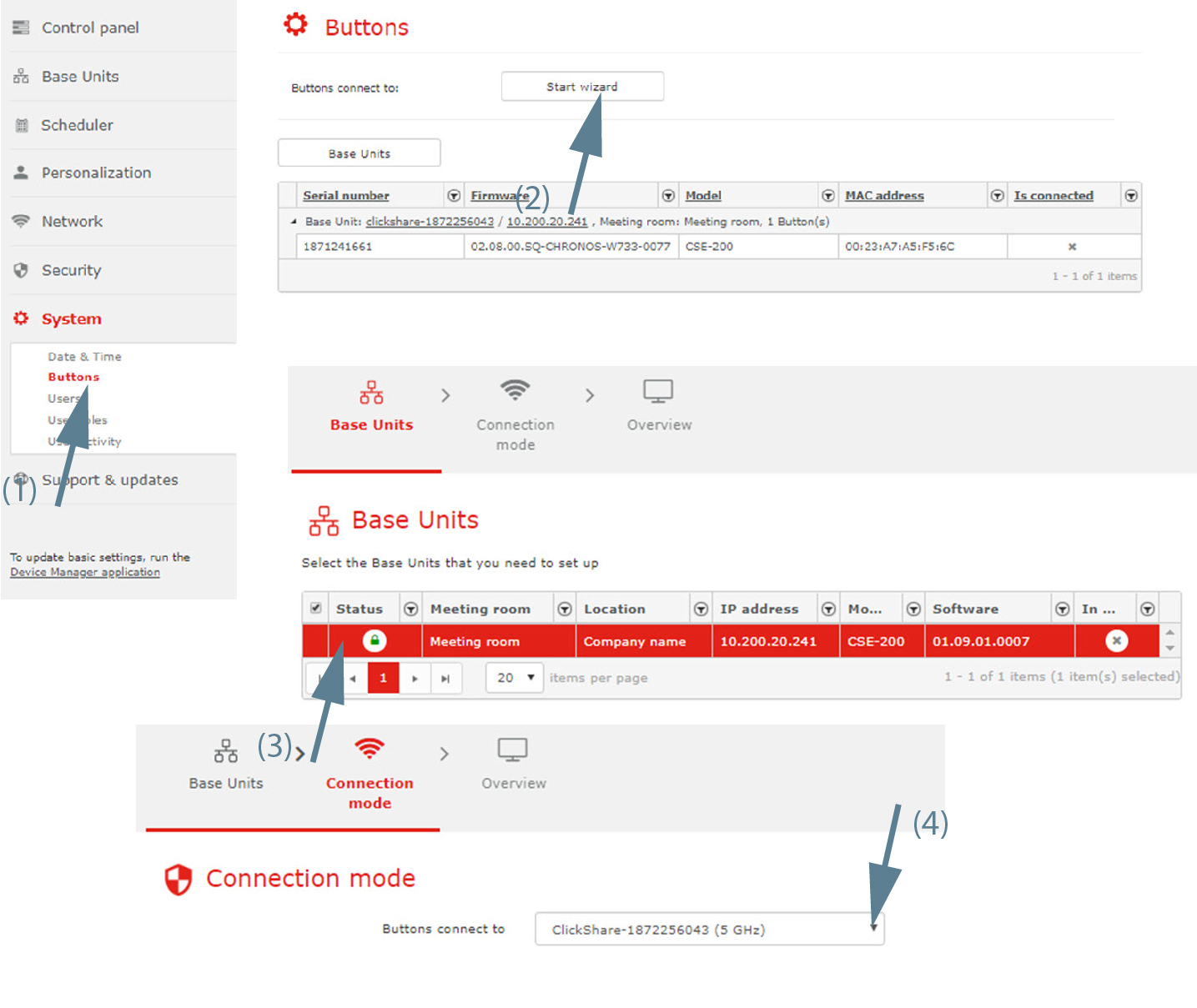
Image 3–71 - Click on Start wizard next to .
Select the Base Unit to connect to and click Next.
The Connection mode window opens.
Select the way the Buttons are connecting with the Base Unit. Click on the drop down and select the desired setting.
The following options are possible:
- With the ClickShare Base Unit WiFi
- External Access Point