About sorting
The overview page can be sorted using any header of the overview page. Click on the header to sort the overview page in descending or ascending order. Click again on the header to change the order.
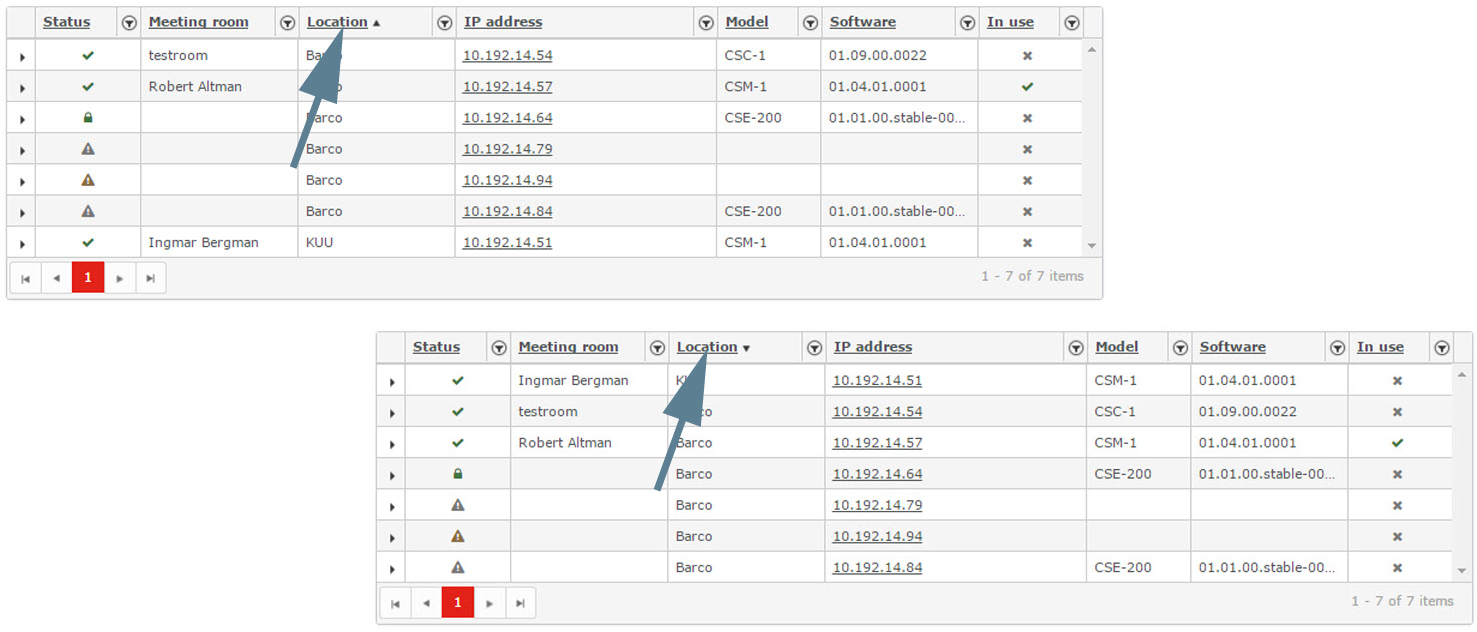


The overview page can be sorted using any header of the overview page. Click on the header to sort the overview page in descending or ascending order. Click again on the header to change the order.
The overview page can be filtered using the filter arrow next to each item in the header (1). Click on that arrow to open the filter window. Enter a search criterion (2–3). A search criterion can be any part of the name. Click Filter (4) to update the overview page. The filter arrow in the header gets a red background.
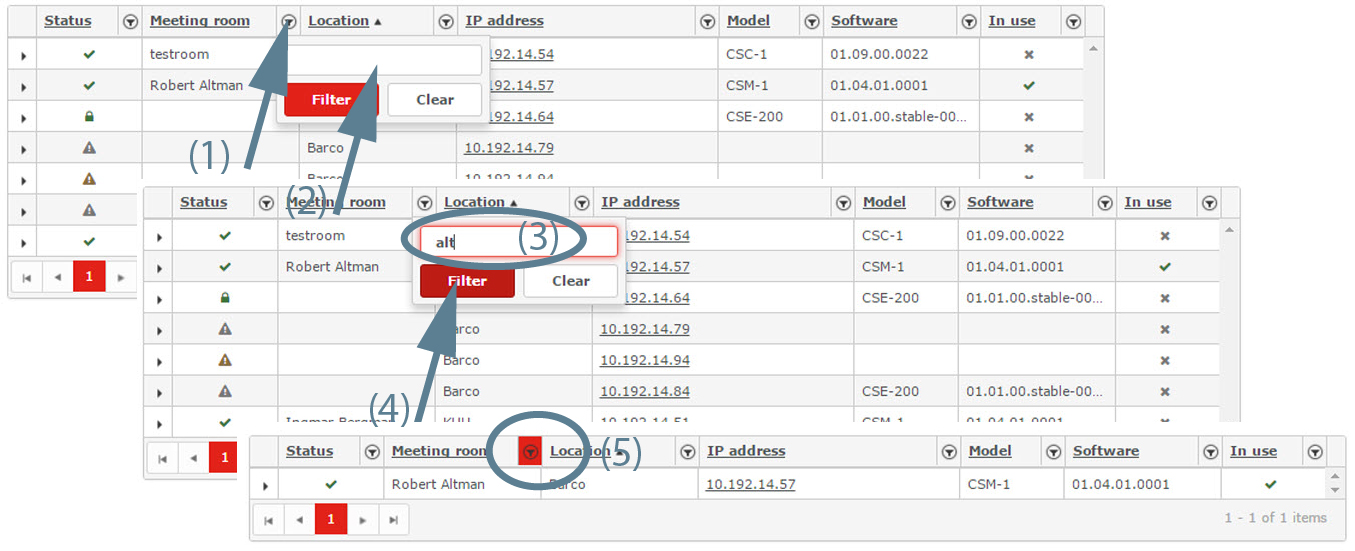
To clear the search filter, click on the filter arrow with red background to open the filter window and click on Clear.
Click on a branch of the location tree to filter the Base Units. Only those Base Unit located on that branch (and sub branches) are displayed.
Example: filter for . Click on the branch and the overview page displays only the Base Units located in 'KUU'.
