What can be done?
A location can be moved from one branch to another.

A location can be moved from one branch to another.
Select Personalization and click on Locations to display the locations page (1).
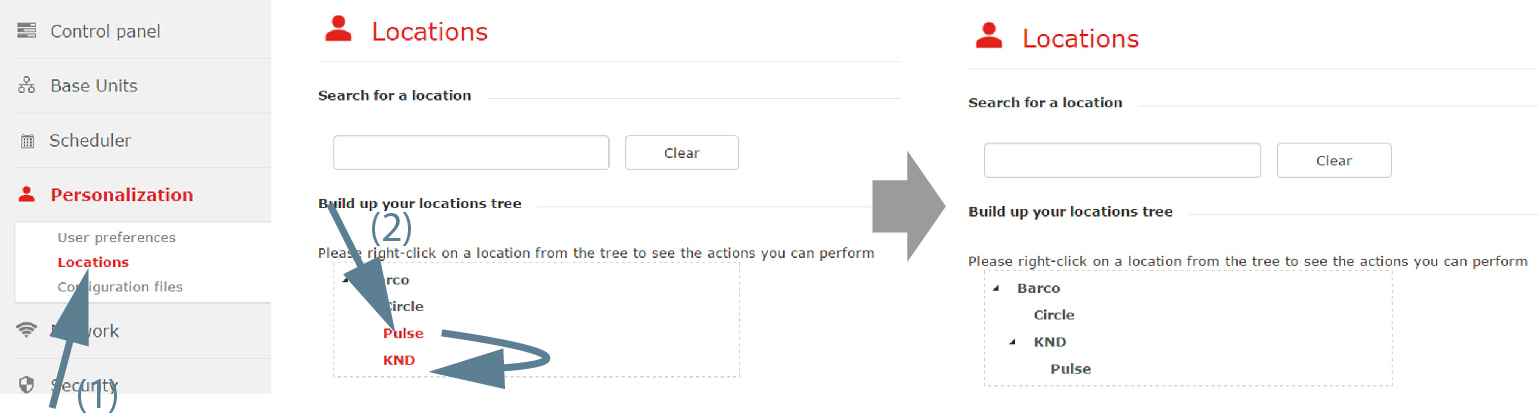
Click on a location and drag to the desired place (2).
While dragging a plus sign indicates that the dragged location can be dropped on that place.
A cross sign indicates that the dragged location cannot be dropped on that place.