3.1.9.2 Wallpaper

About wallpaper

When a ClickShare device starts up, a background (wallpaper) is displayed. By default a general ClickShare and a quick start wallpaper are available. The possibility exists to upload personal backgrounds (wallpapers). A selected wallpaper is shown in the preview pane before it is applied.
Wallpaper setup
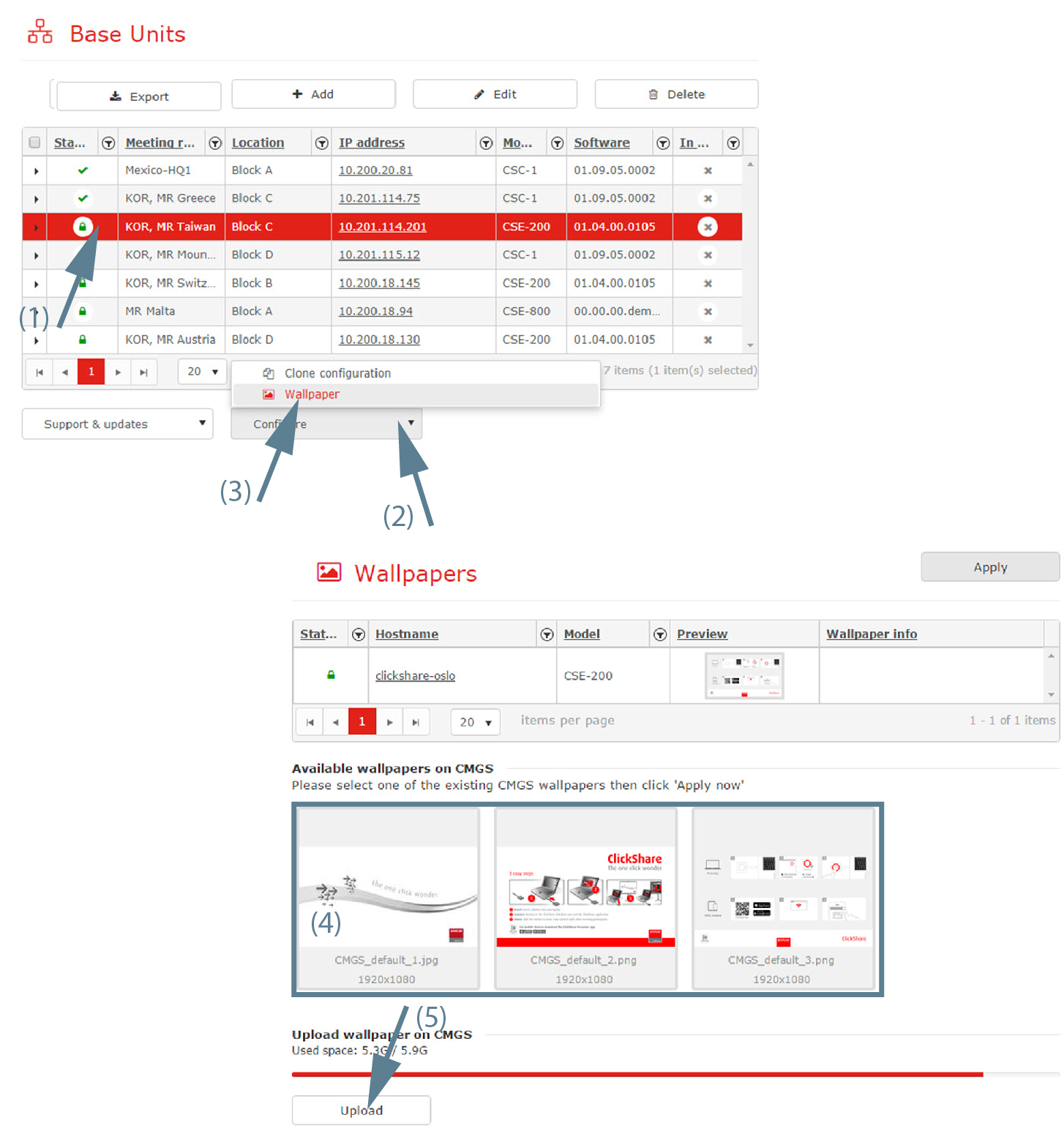
  1. Select one or multiple Base Units (1).

    Image 3–21
  2. Click on the drop down next to Configure (2) and select Wallpaper (3).

    The wallpaper selection window opens. The current available wallpapers in XMS (virtual) Edge are displayed.

  3. Select one of the available wallpapers and click on Apply now.

    The wallpaper file is sent to the Base Units.

    A message in the Wallpaper info column appears to inform user that the wallpaper is updating.

    XMS (virtual) Edge also deletes all previously user uploaded wallpapers to the Base Unit.

Upload a new wallpaper on the XMS (virtual) Edge
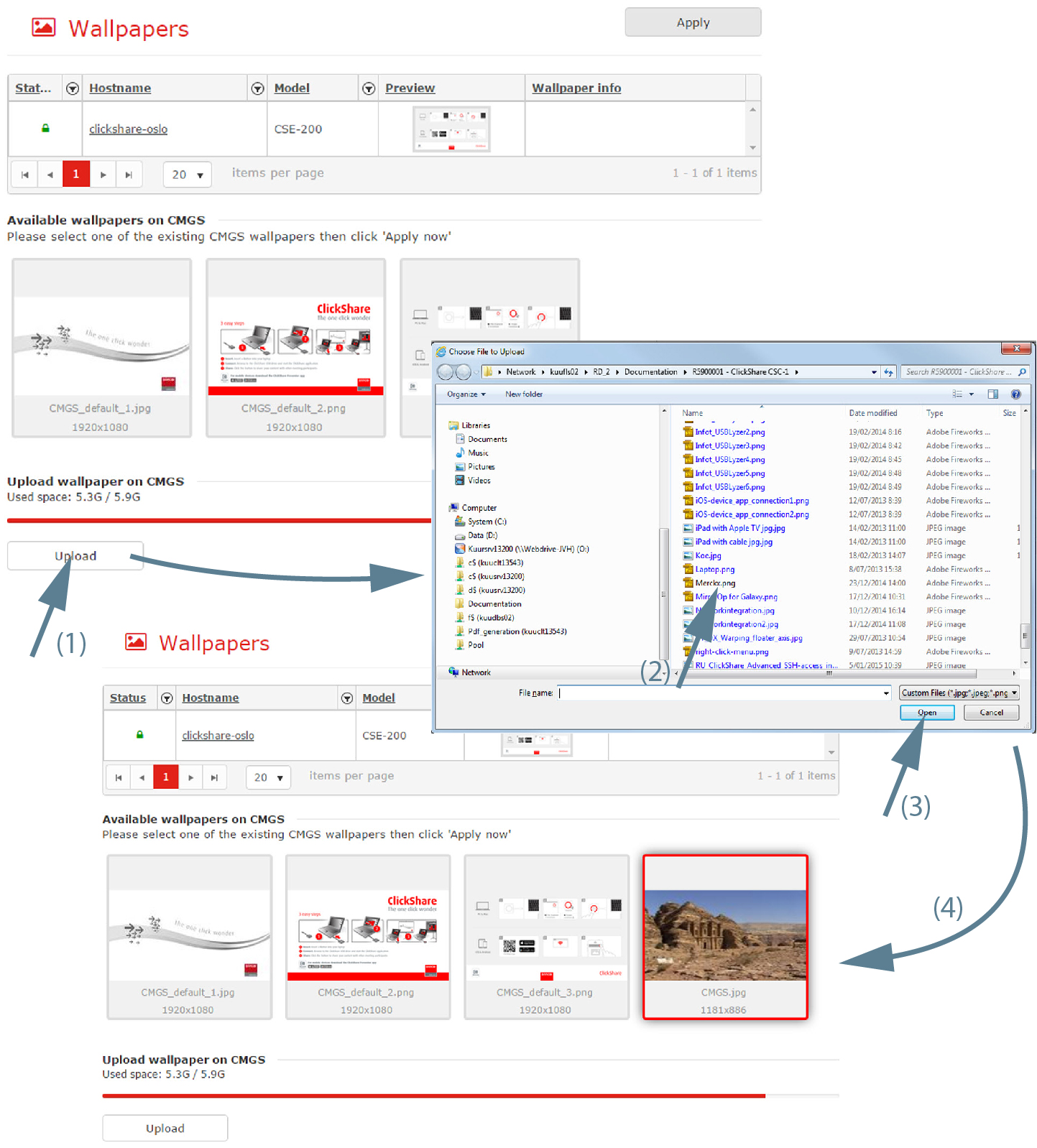
  1. Click on Upload (1).

    Image 3–22

    A browser window opens.

  2. Select the new wallpaper file (2) and click Open (3).

    Note: The file type must be png, jpg or jpeg.

    The new wallpaper file is added to the list of available files (4). This file can now be applied to a Base Unit.

    The maximum allowed size for a wallpaper that can be uploaded on XMS is 20 MB. Each base unit model may have different file size constraints. The maximum allowed resolution for a wallpaper applied to a

    • CB Pro: 1920x1200 px (10 MB)
    • CB Core: 1920x1200 px (10 MB)
    • CX-50 Gen2: 1920x1200 px (10 MB)
    • CX-50: 1920x1200 px (10 MB)
    • CX-30: 1920x1200 px (10 MB)
    • CX-20: 1920x1200 px (10 MB)
    • C-10: 1920x1200 px (10 MB)
    • C-5: 1920x1200 px (10 MB)
    • CS-100 & CS-100 Huddle: 1920x1200 px (2.50 MB)
    • CSE-200+: 1920x1200 px (2.50 MB)
    • CSE-200: 1920x1200 px (2.50 MB)
    • CSE-800: 4096x2160 px (2.50 MB)
    • CSM-1: 1920 x 1080 px (2.50 MB)
    • CSC-1: 3840x2160 px (2.50 MB)
Note: Custom uploaded wallpaper on the XMS (virtual) Edge can be removed also.