
How to start the diagnose
Select the Base Unit(s) to diagnose (1).
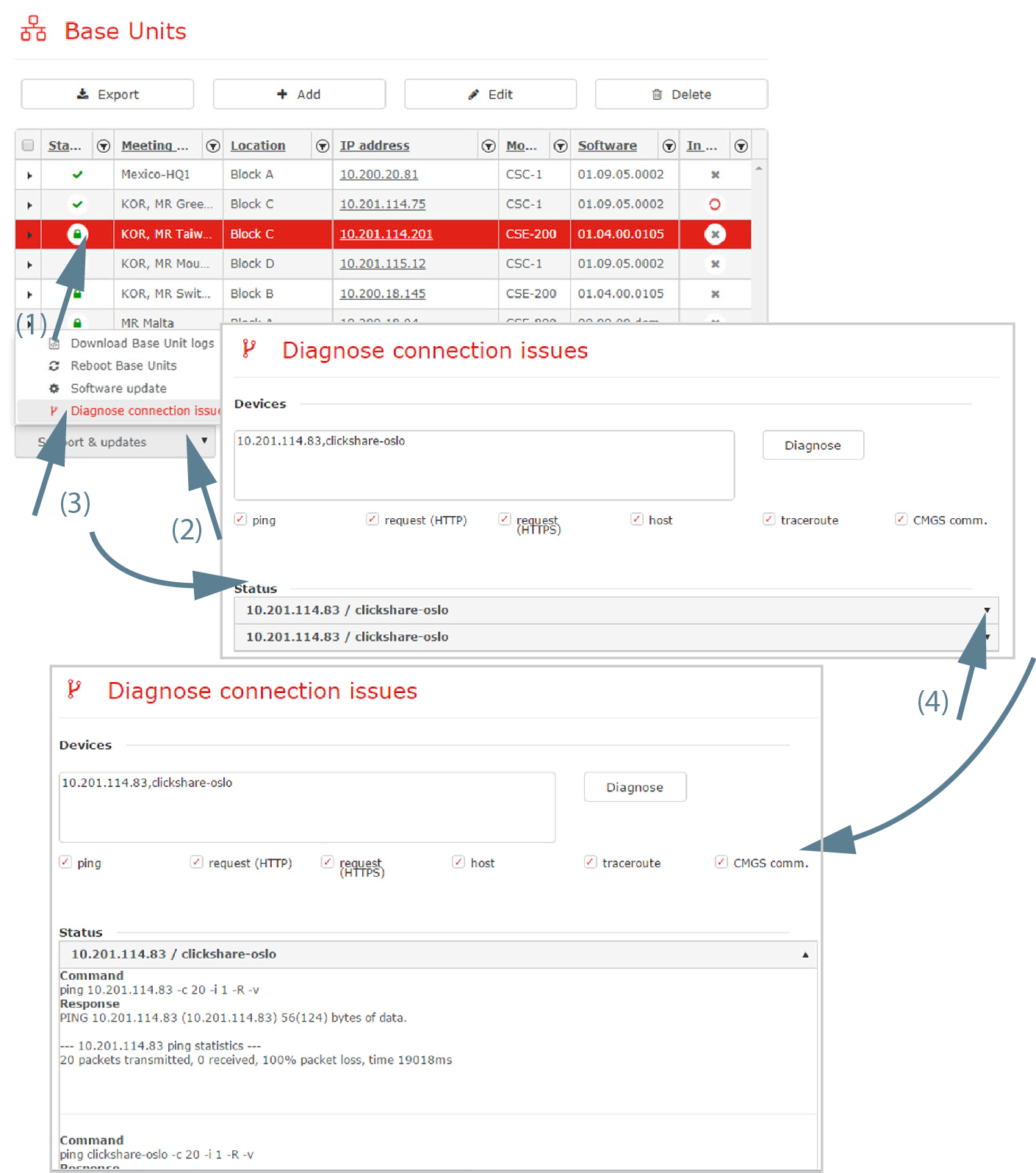
Image 3–17 Diagnosis connection issues Click on the drop down box (2) and click Diagnose connection issues (3).
The Diagnose connection issues window opens. The Device area gives an overview of the IP addresses of the selected Base Unit(s).
Click on Diagnose to start the diagnose.
The diagnosis is executed and displayed in the status pane as follow: IP address/hostname Base Unit.
To open the diagnosis log, click on the arrow next to the status line.
To close the diagnosis log, click again on the arrow next to the status line.
- To save the diagnosis log on your local drive, click on Save.