
How to setup
Select Network and click Wi-Fi & LAN settings to display the page.
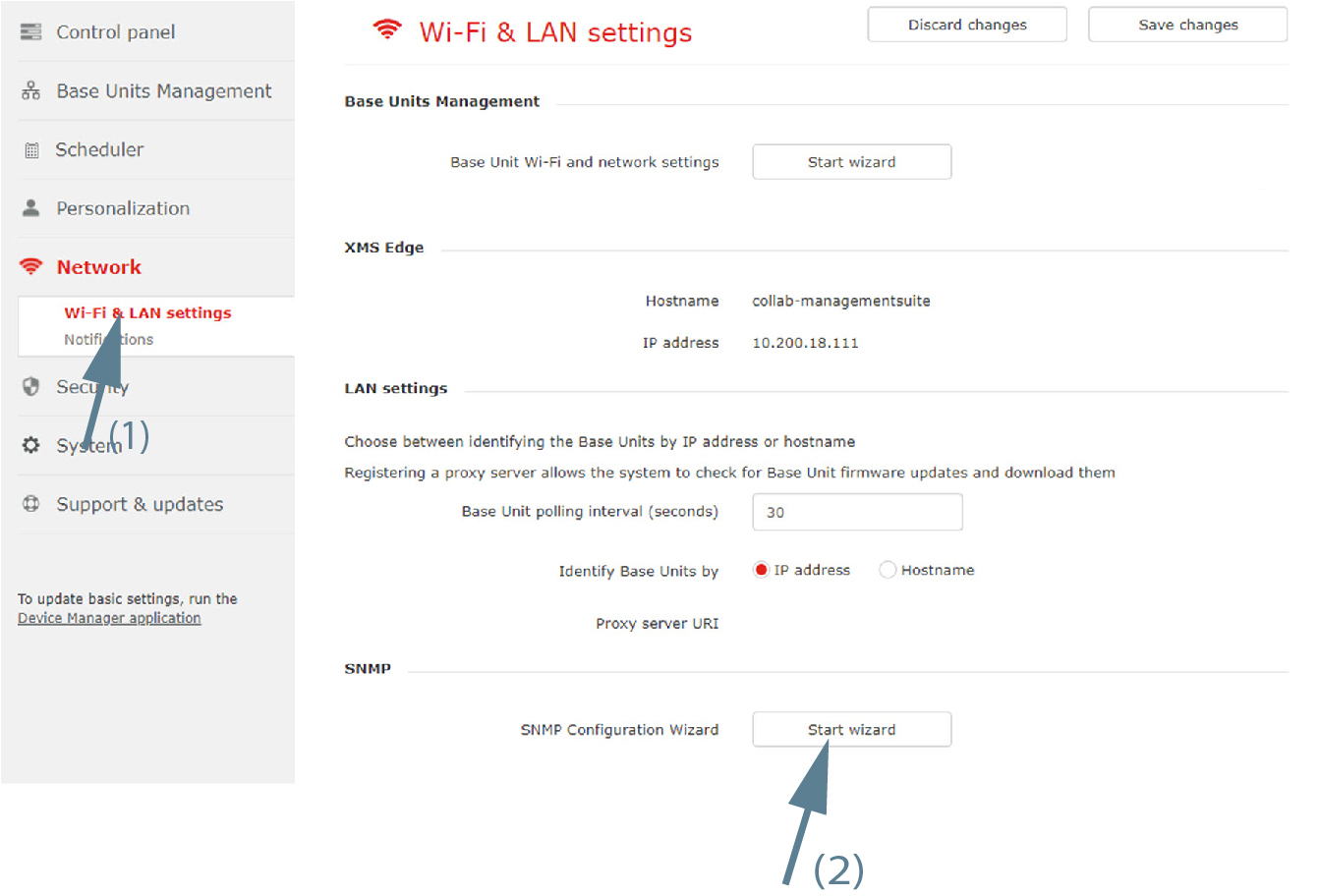
Image 3–47 Network, SNMP - Click on Start wizard next to to start.
Select the Base Units. Click Next to continue.
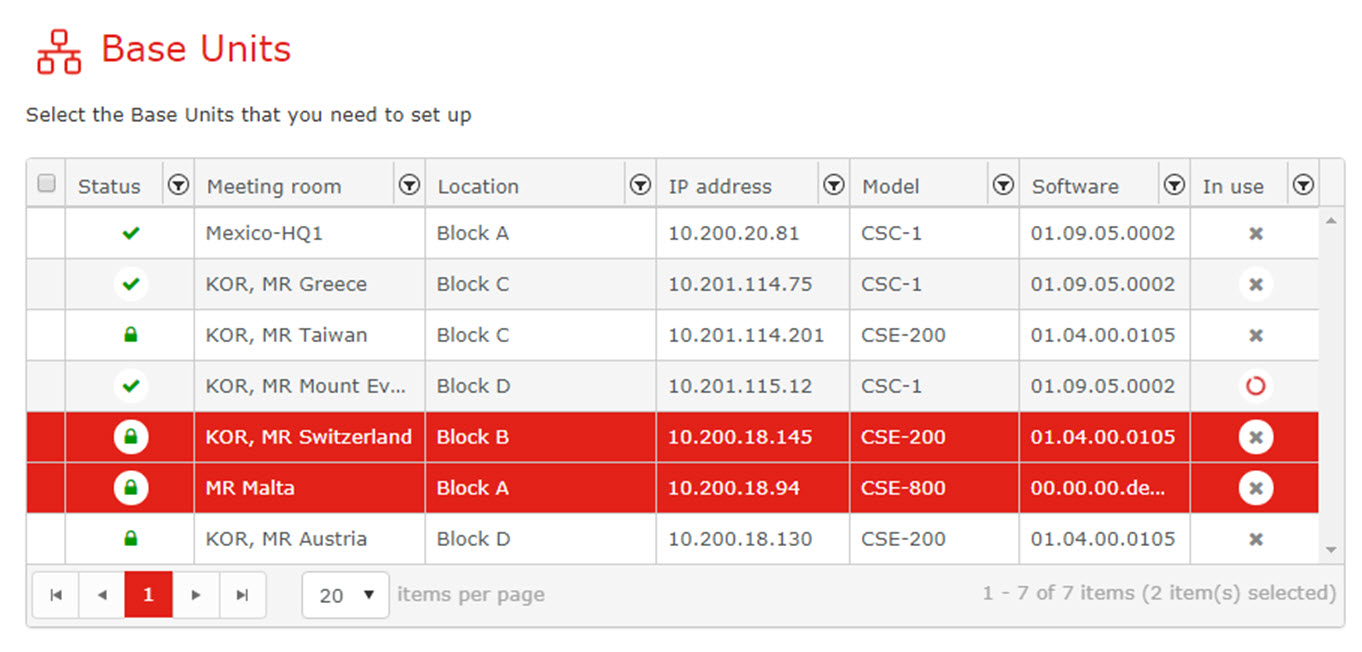
Image 3–48 Base units to setup - To enable SNMP, check the checkbox in front of .
To use the default engine Id, check the checkbox in front of .
orfill out an engine Id.
Fill out the SNMP Manager address, Username and password (minimum 8 characters). Confirm the password.
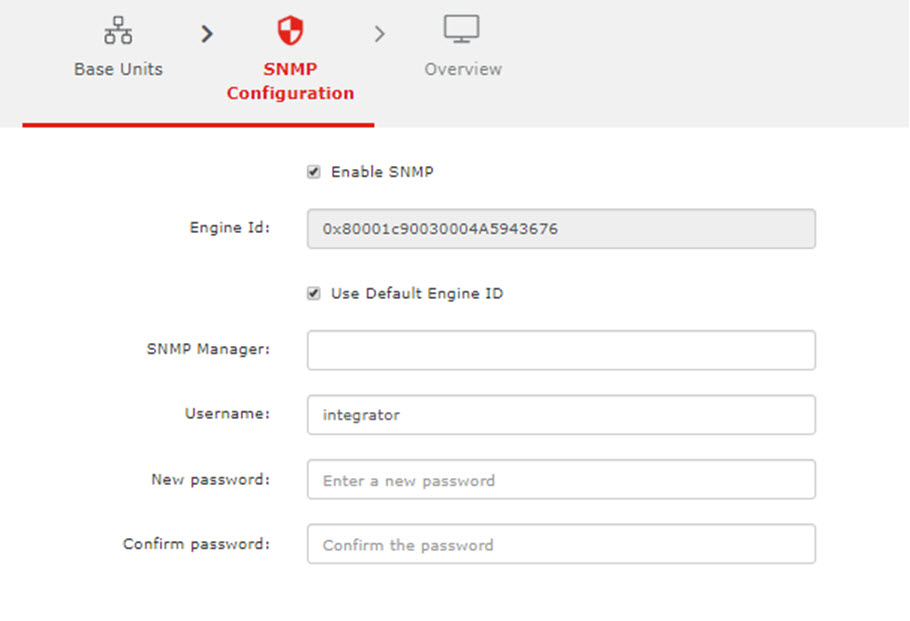
Image 3–49