What can be done?
Any user added location in the locations tree can be removed from the tree.


Any user added location in the locations tree can be removed from the tree.
Select Personalization and click on Locations to display the locations page (1).
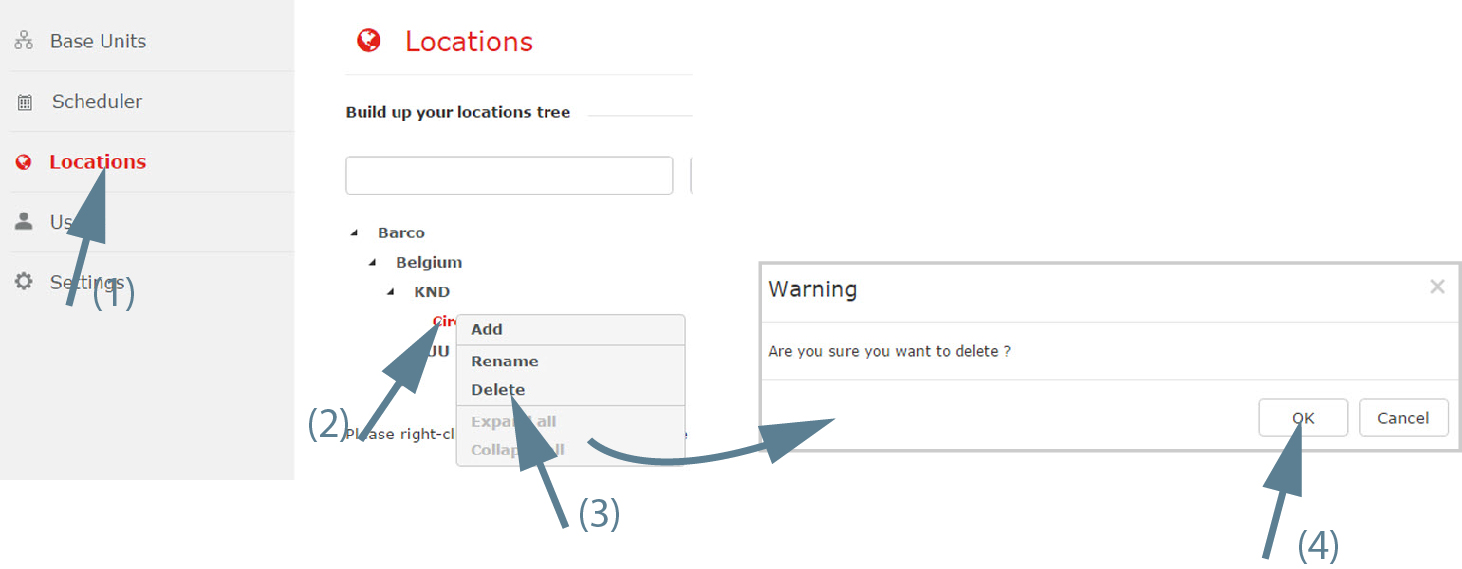
Right click on a location to remove (2).
A context menu opens.
Select Delete (3) to remove the selected location.
A warning message is displayed.
If there are Base Units still connected to the selected branch or to one of its subbranches, the delete operation is not possible.