
How to delete
Select System and click on Users to display the overview page (1).
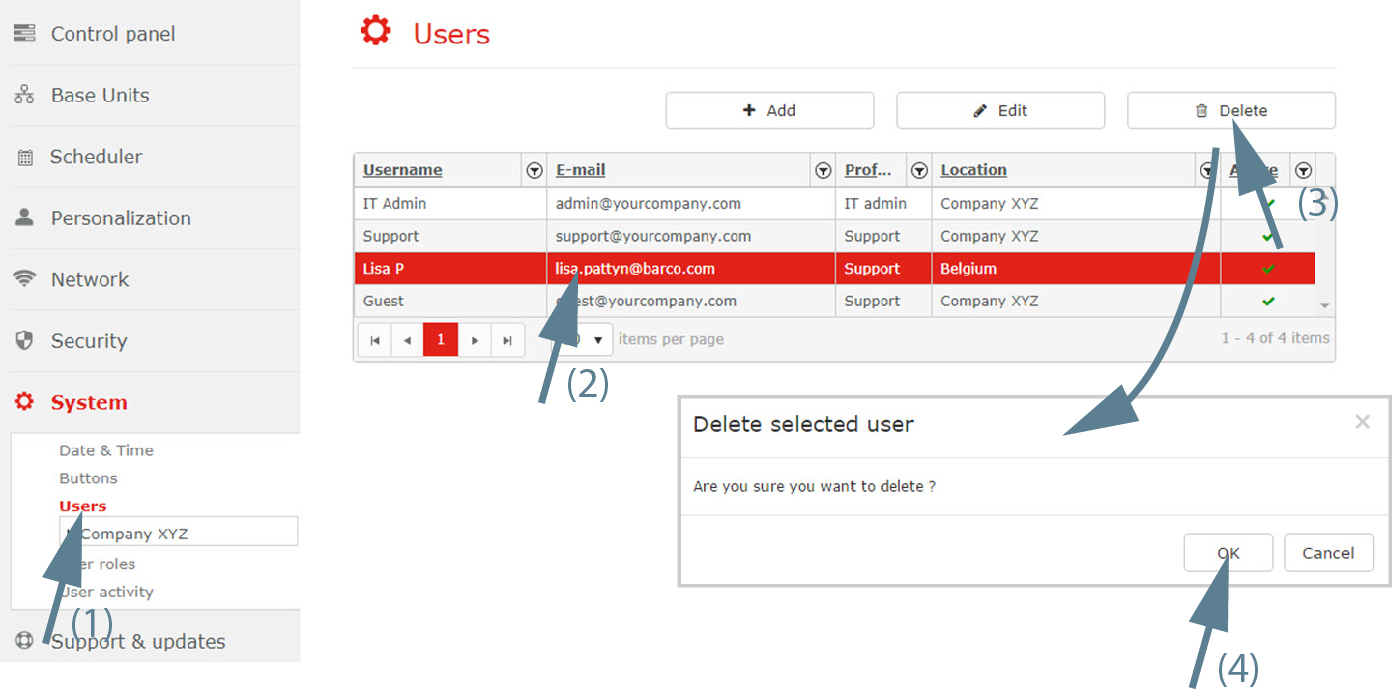
Image 3–75 Delete selected user - Select the user to delete (2).
Click Delete (3).
A delete message is displayed, asking for confirmation to remove the record.
- Click OK to delete the selected user (4).