About exporting Base Units
Selectable information about a Base Unit can be exported into an Excel file (.xls). The export can be done for one or multiple Base Units at the same time.

Selectable information about a Base Unit can be exported into an Excel file (.xls). The export can be done for one or multiple Base Units at the same time.
When the overview window is not open yet, click on Base Units in the menu bar (1).
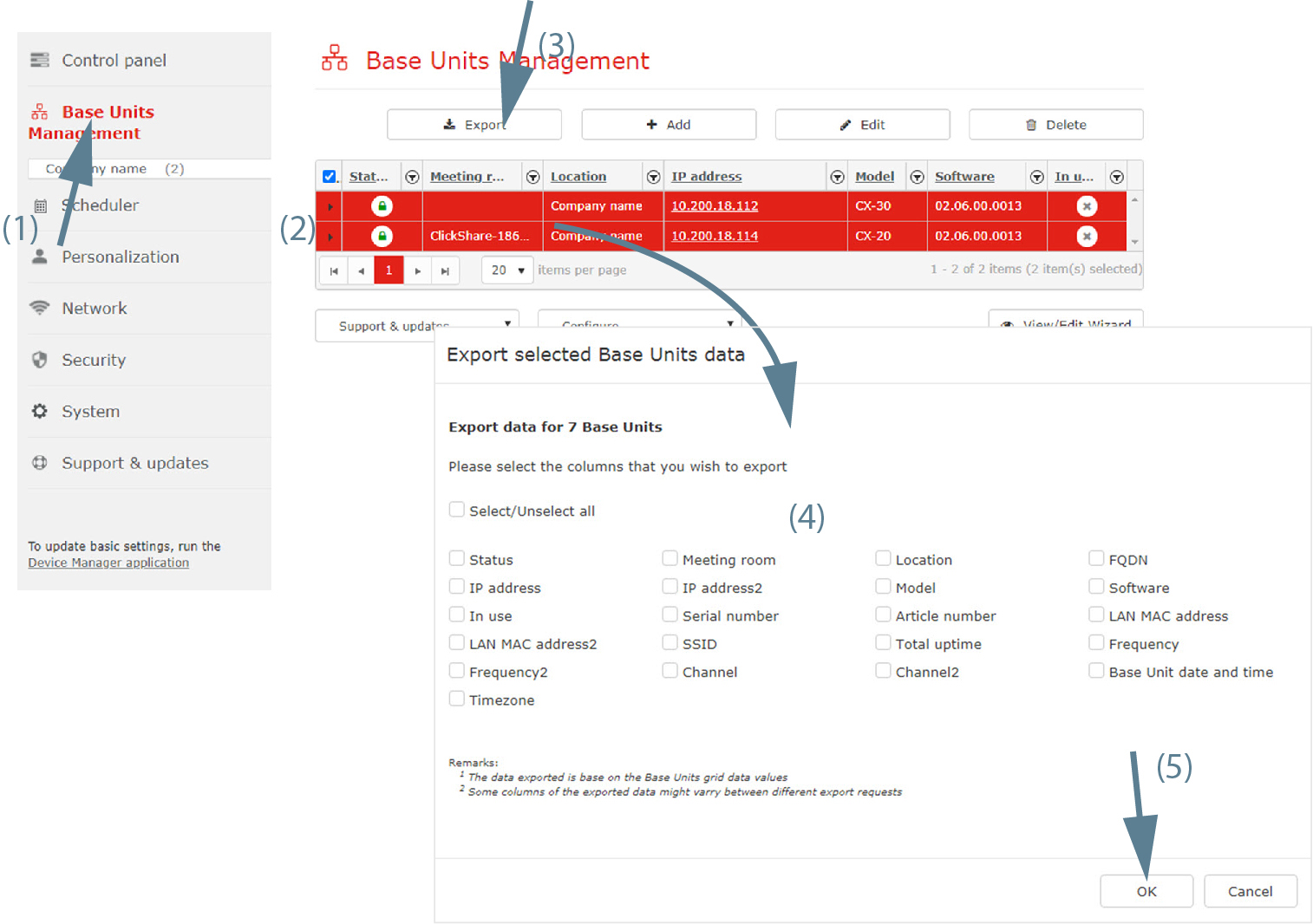
An overview of the current coupled Base Units is shown.
Click on Export (3).
The data window opens.
Select the items to be included in the list (4).
To select all items at once, check the check box next to all.
Click OK to start the export (5).
An Excel file (.xlsx) is created and stored on your local machine.