How to collapse/expand
- To collapse a expanded branch, click on the arrow icon in front of a branch (1).
To expand a collapsed branch, click on the arrow icon in front of a branch (2).
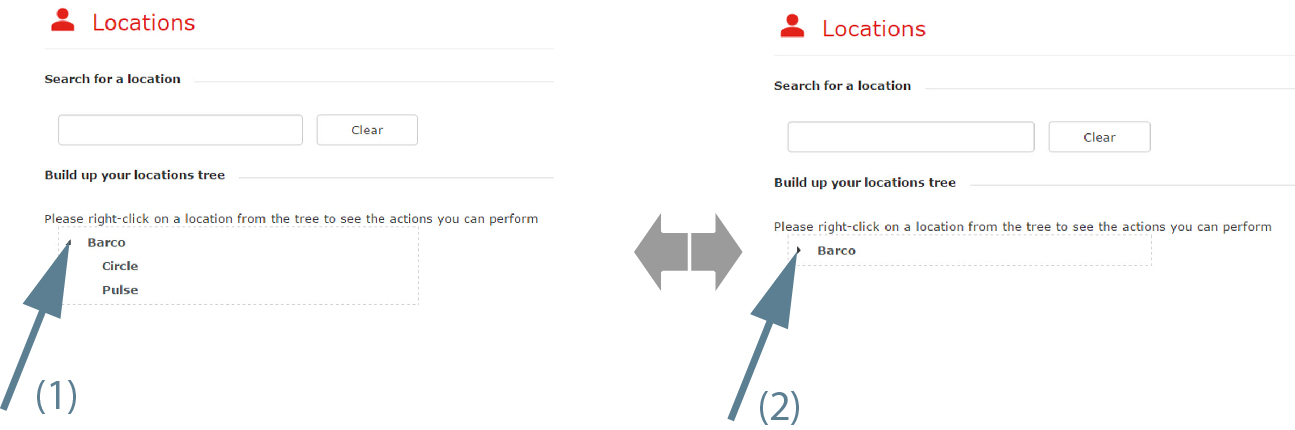
Image 3–29 Collapse/expand locations

To expand a collapsed branch, click on the arrow icon in front of a branch (2).
Right click on a collapsed branch with sub branches.
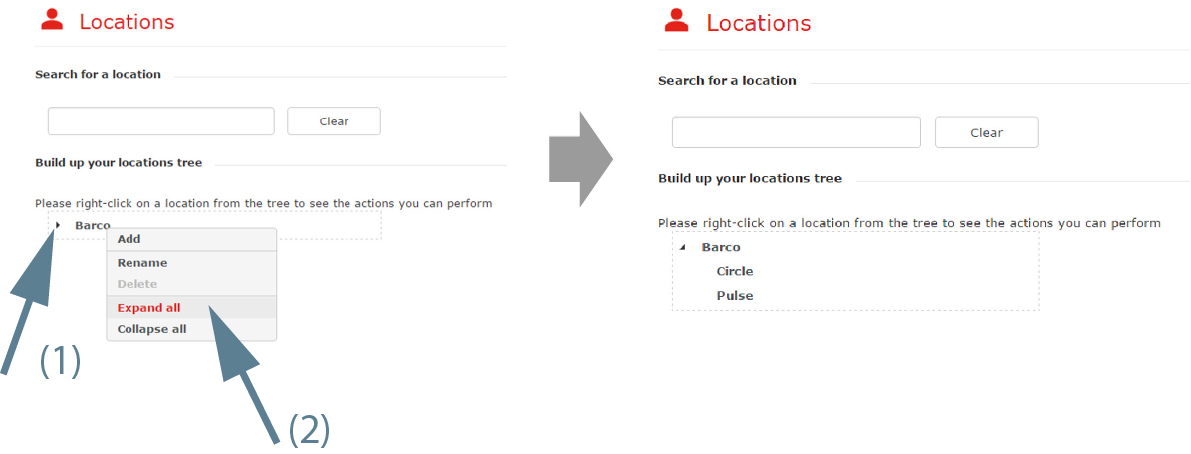
Select .
The branch is expanded until its lowest level.
Right click on an expanded branch with sub branches.
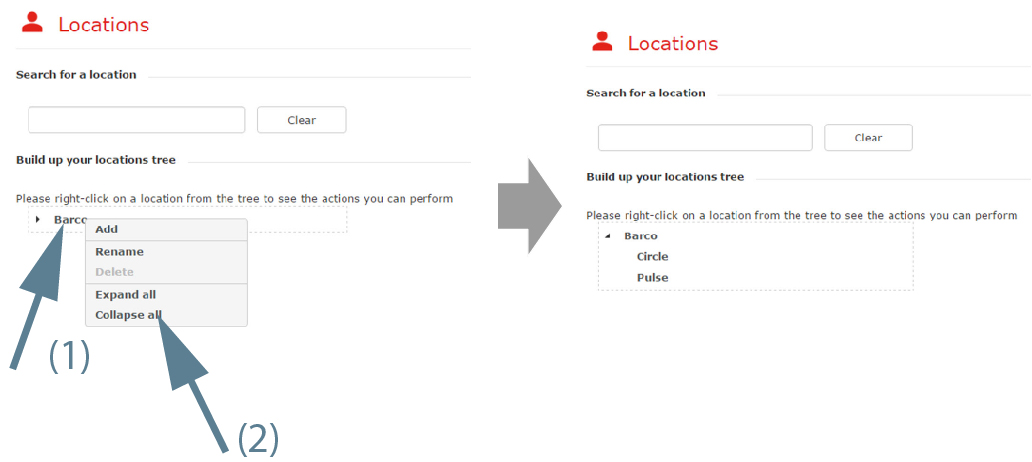
Select .
The branch with its sub branches is collapsed.