What should be done?
Before a firmware update can take place, the firmware must be available on the XMS (virtual) Edge. First, it should be downloaded.

Before a firmware update can take place, the firmware must be available on the XMS (virtual) Edge. First, it should be downloaded.
Select Support & updates and click on Firmwares to display the overview page (1).
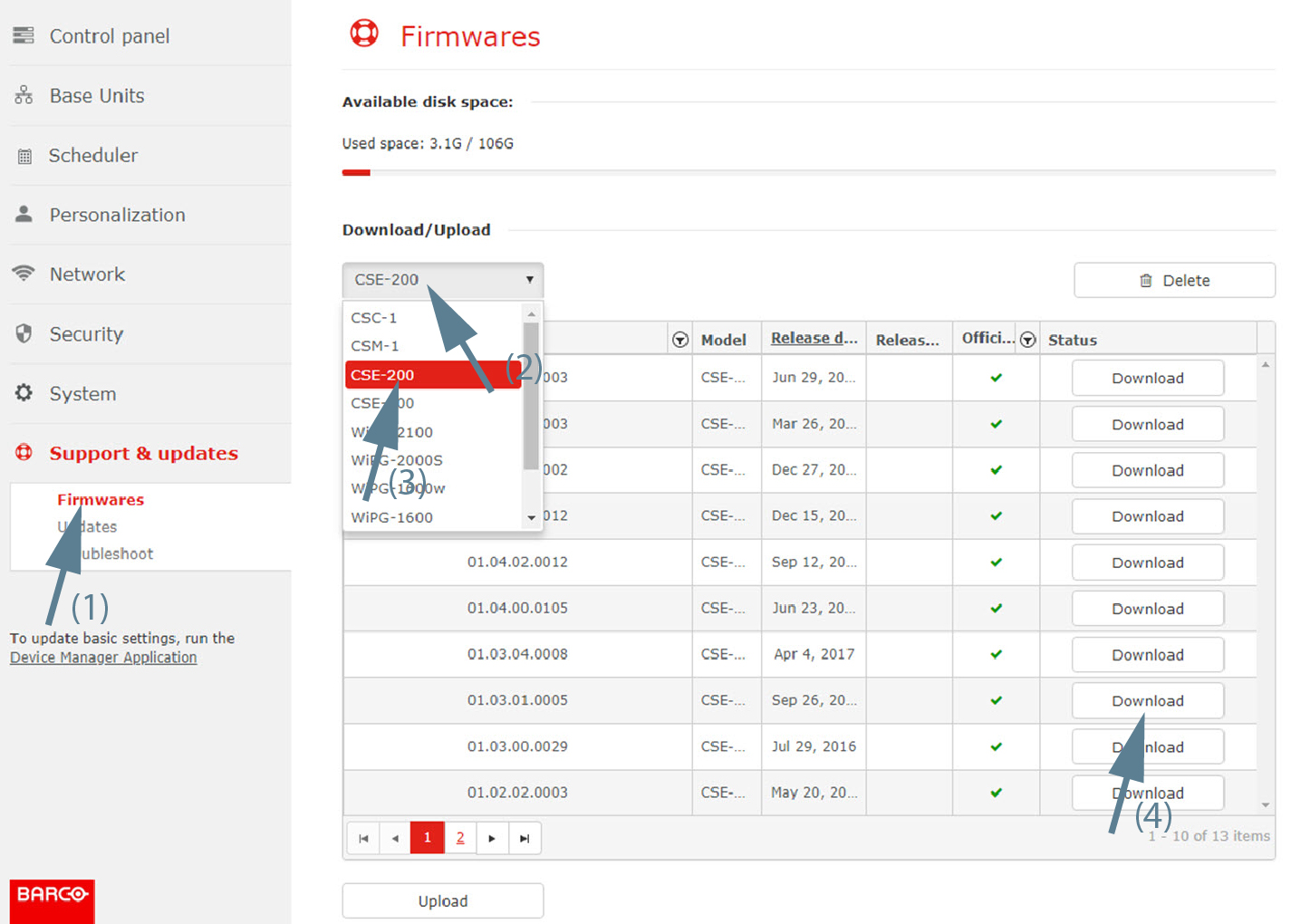
Click on the drop down list and select the Base Unit model.
The current available firmwares are displayed.
Click on the Download button next to the firmware version you need.
The download starts and a progress bar is displayed.
When finished, the download button is replaced with the message Available.

If a firmware version is not available in the list, you may upload that firmware in the XMS (virtual) Edge.
While the view is displayed, click on Upload.
Browser window opens.
Browse to the desired firmware and click Open.
The firmware is uploaded and becomes available in the list.