
How to setup
Select Support & updates and click on Troubleshoot (1).
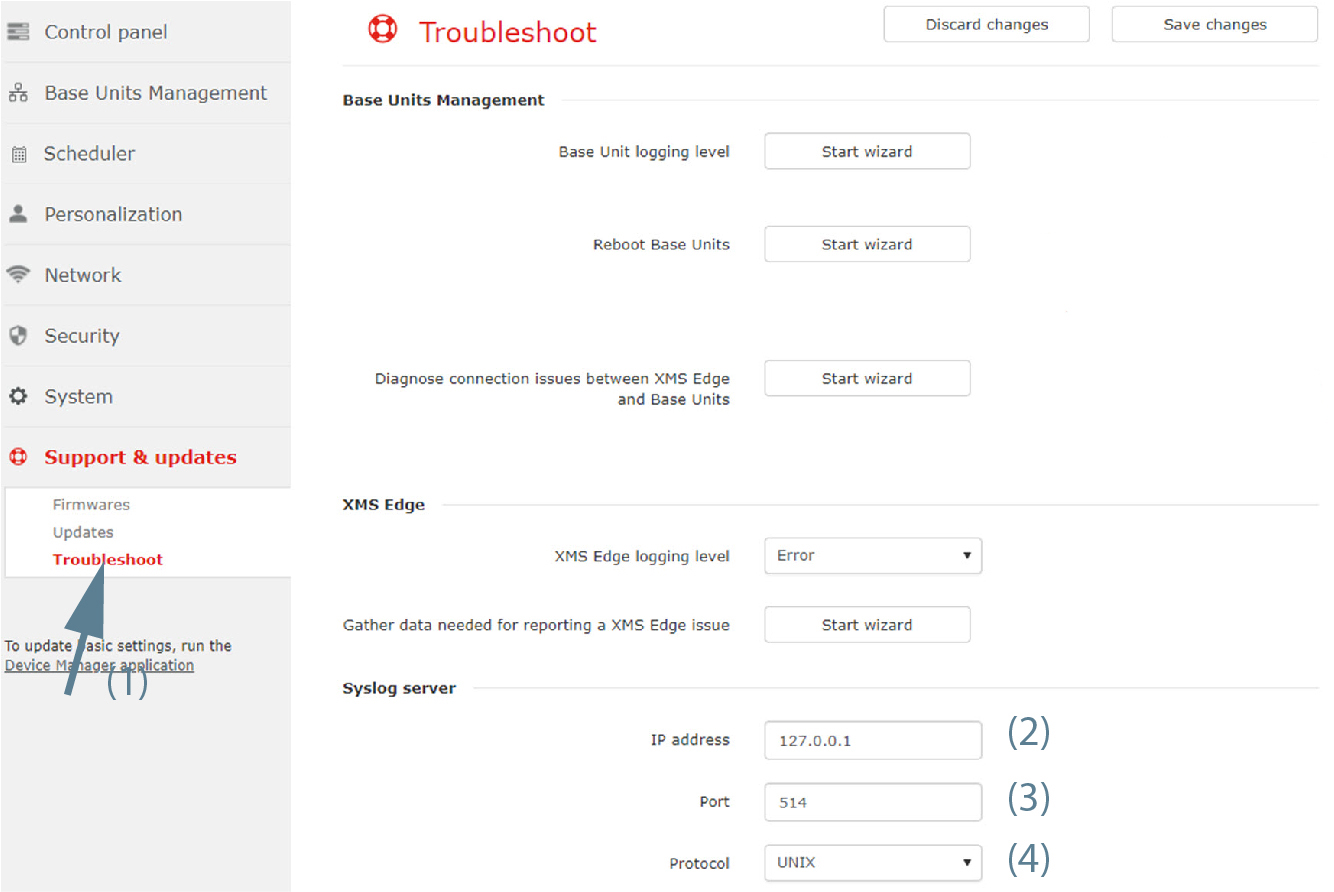
Image 3–99 - In the pane, enter the IP address or hostname (2).
- The default port is 514. To change the port number, click in the input field and fill out a new port number (3).
To change the protocol, click on the drop down box and select the desired protocol (4).
The following protocols are available:
- TCP
- UDP4
- UDP6
- UNIX