3.6.5 User activity

About user activity

All actions initiated by a user are logged in the user activity. The following items are stored:

The user activity list can be limited by setting up a time frame.

Within that time frame, a filter can be setup on column level. Click on the arrow button next to column title, fill out keyword and click Filter.
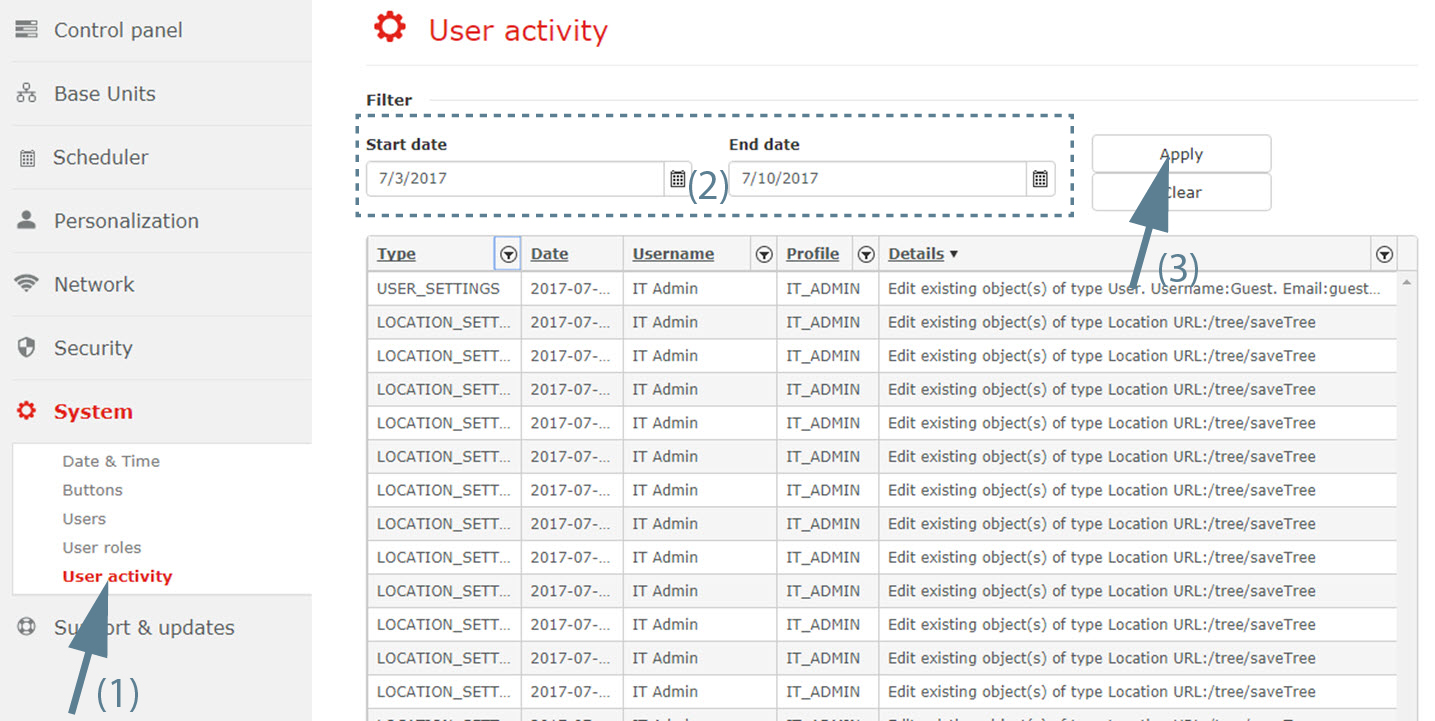
How to create a time frame
  1. Select System and click on User activity to display the overview page (1).

    Image 3–81
  2. Select the start date. Click if necessary on the calender and select the desired date or select the current date and enter a new date with the following mask mm/dd/yyyy (2).
  3. Select the end date in the same way as the start date.
  4. Click on Apply to apply the time frame (3).

    The list will be limited to the selected time frame.