What can be done?
The name of any location in the tree can be changed.

The name of any location in the tree can be changed.
Select Personalization and click on Locations to display the locations page (1).
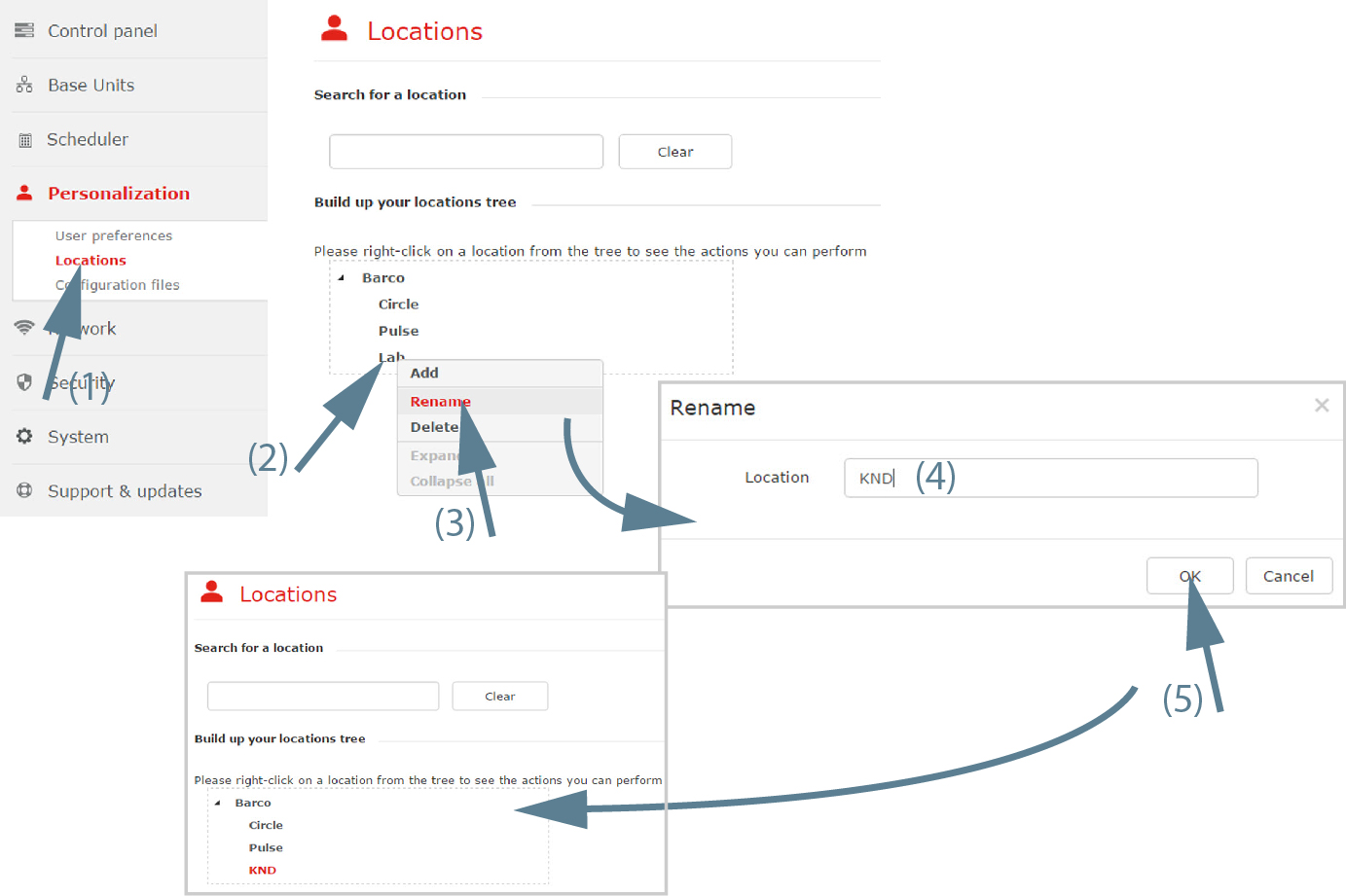
Right click on a location to rename (2).
A context menu opens.
Select (3).
The window opens.
Edit the current displayed name for the location (4) and click OK.

The location tree and Base Units home are updated with the new name.