
How to reboot
Select the Base Units to reboot (1).
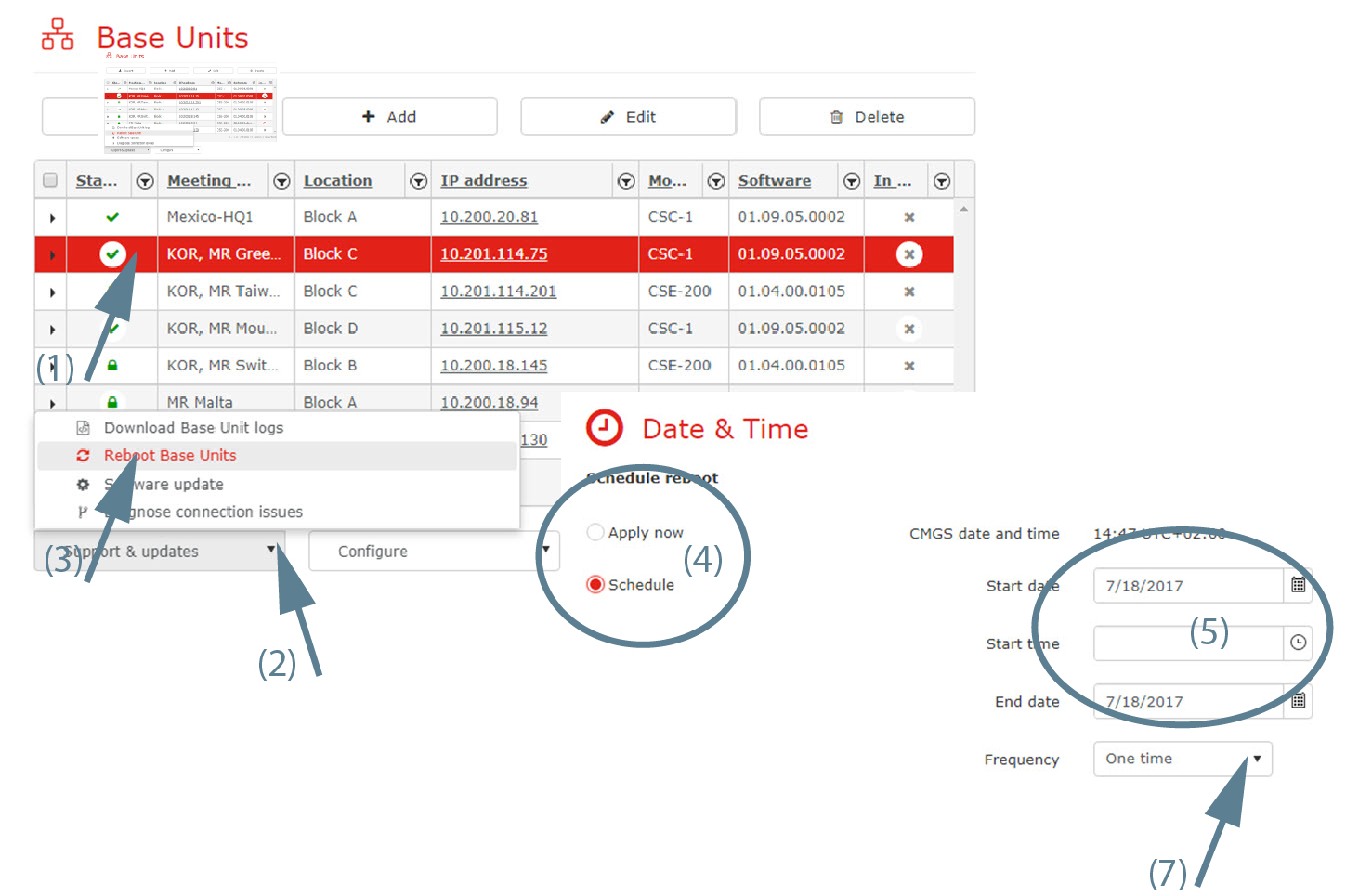
Image 3–14 Reboot Base Unit(s) Click on the drop down box (2) and select Reboot Base Units (3).
A page opens.
To reboot immediately, click Apply now (4).
To reboot on a later date, click Schedule (4). Fill out a date and time (5)and click Schedule (7).
