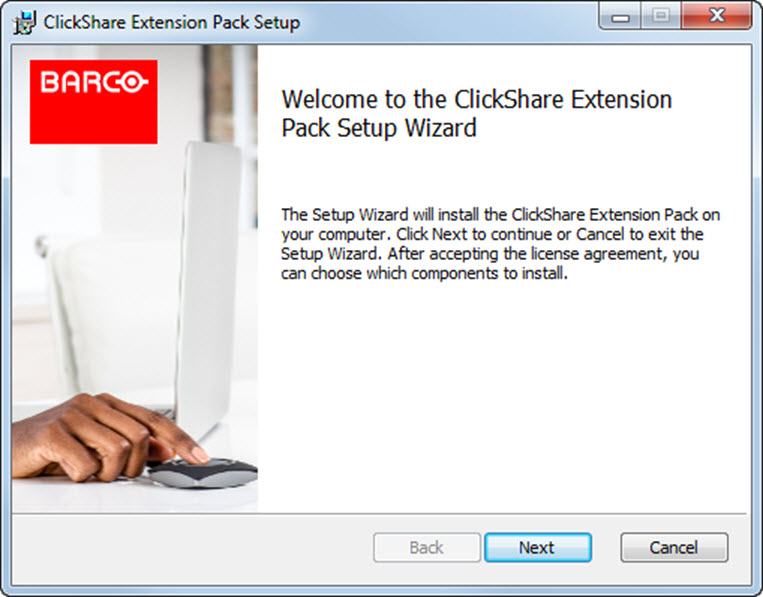
Interactive setup
In this setup, the user runs the installer which will install the ClickShare Extension Pack on his computer after the user accepts the EULA.
After the setup finished, the ClickShare launcher will be started automatically. The Extended desktop driver can only be used after the user reboots his computer.
Silent setup
In this setup, a user or an IT admin can install the ClickShare Extension pack using the Windows command prompt. Following is an example of a silent installation (version numbers are only given as example, always check Barco’s web for the latest version):
Launcher only install:
msiexec.exe /i ClickShare-Extension-Pack-01.00.02.0003.msi
ACCEPT_EULA=YES INSTALLFOLDER=C:\ LAUNCH_APP=YES /qn
Extended desktop only install :
msiexec.exe /i ClickShare-Extension-Pack-01.00.02.0003.msi
ACCEPT_EULA=YES ADDLOCAL=ExtendedDesktopDriverFeature INSTALLFOLDER=C:\
LAUNCH_APP=YES /qn
Full install (laucher + extended desktop):
msiexec.exe /i ClickShare-Extension-Pack-01.00.02.0003.msi
ACCEPT_EULA=YES ADDLOCAL=ALL INSTALLFOLDER=C:\ LAUNCH_APP=YES /qn

Note: The computer will reboot. This can be suppressed with /norestart. A reboot will be needed afterwards for the extended desktop feature to be working. In case the end-user should decide if they want to reboot, /promptrestart /QB!+ can be used (basic UI, no cancel option, but prompt to reboot)
Parameter Description
| ACCEPT_EULA | This parameter shows that the installer accepts the EULA text as is. This parameters must be set to YES in order to continue to the installation. |
| INSTALLFOLDER | This parameter specifies the installation directory for ClickShare launcher. If not specified, the default folder will be the Program Files folder. |
| LAUNCH_APP | The ClickShare launcher application will be started right after the installation finishes if this parameter is set to YES. Otherwise, the launcher application will not be started. |
| /qn | This parameter indicates that the installation will be done in silent mode, meaning that there will be no visible windows during the installation. |
| ADDLOCAL | This parameter indicated the type of the installation. No parameter added, installs only the launcher. |
Windows environment variable
The variable to be used is CLICKSHARE_LAUNCHER_CLIENT_PATH. The value should be the path to the client software.