6.21 Security, passwords

About passwords

To access the ClickShare Configurator (WebUI) a user name and password is needed. That password can be changed at any time to protect the ClickShare Configuration settings.

The ClickShare API access is password protected. That password can be changed in the ClickShare Configurator.
Changing the ClickShare Configurator password
  1. Log in to the Configurator.
  2. Click SecurityPasswords.

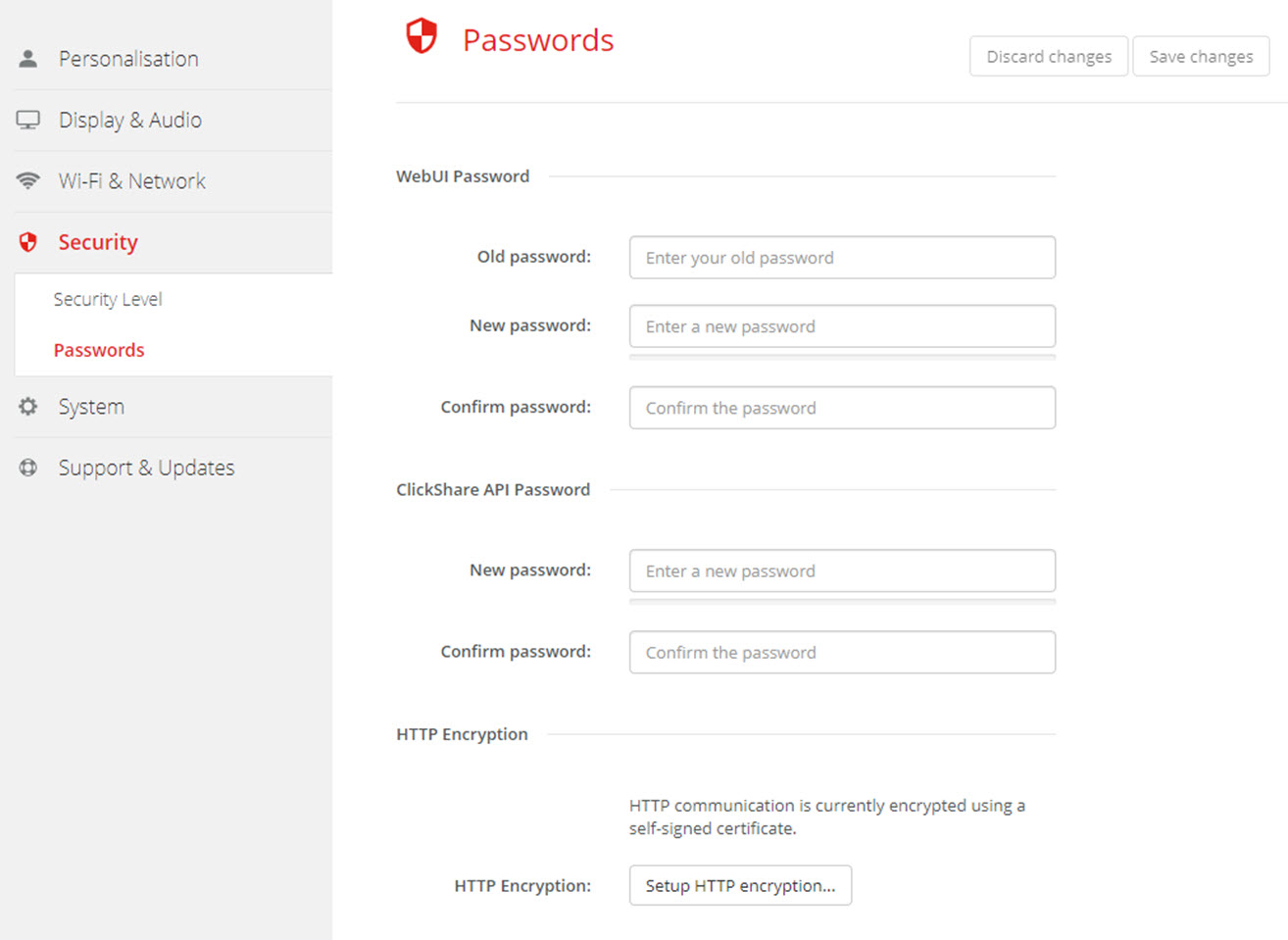
    Image 6–33 Passwords
  3. Click in the WebUI Password pane in the input field next to Old password and enter the old password.
  4. Click in the input field next to New password and enter a new password.
  5. Click in the input field next to Confirm password and enter the new password again.
  6. Click Save changes to apply.
Changing the ClickShare API Password
  1. Log in to the Configurator.
  2. Click SecurityPasswords.
  3. Click in the ClickShare API Password pane in the input field next to New password and enter the new password.
  4. Click in the input field next to Confirm password and enter the new password again.
  5. Click Save changes to apply.