6.19 Services, Remote Button Pairing

About remote Button pairing

When using ClickShare Button Manager, a stand alone software application on your computer, you can manage your Buttons on most of the types of ClickShare Base Units. Your computer can pair up to four Buttons at once with a known Base Unit. It is not necessary anymore to physically connect the Button with the Base Unit to pair it. This functionality makes it easy to use any Button with any Base Unit. Before you can use the ClickShare Button Manager a password must be configured on each Base Unit.
How to setup
  1. Log in to the Configurator.
  2. Click Wi-Fi & NetworkServices.
  3. Scroll to Remote Button Pairing.

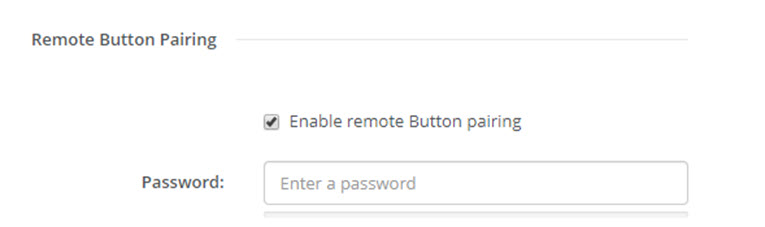
    Image 6–31 Service, Remote Button pairing
  4. Check the checkbox in front of Enable remote Button pairing.

    Checked: remote Button pairing is activated. A password should be entered to start the remote pairing from the Button Manager.

    Not checked: remote Button pairing is deactivated.

  5. Click in the input field next to Password and enter a password.
  6. Click Save changes to apply the settings.