About meeting room settings
The following settings are possible:
- Meeting room name
- Meeting room location
- Welcome message on the ClickShare screen
- Show meeting room info
- Show network info
- Show source names
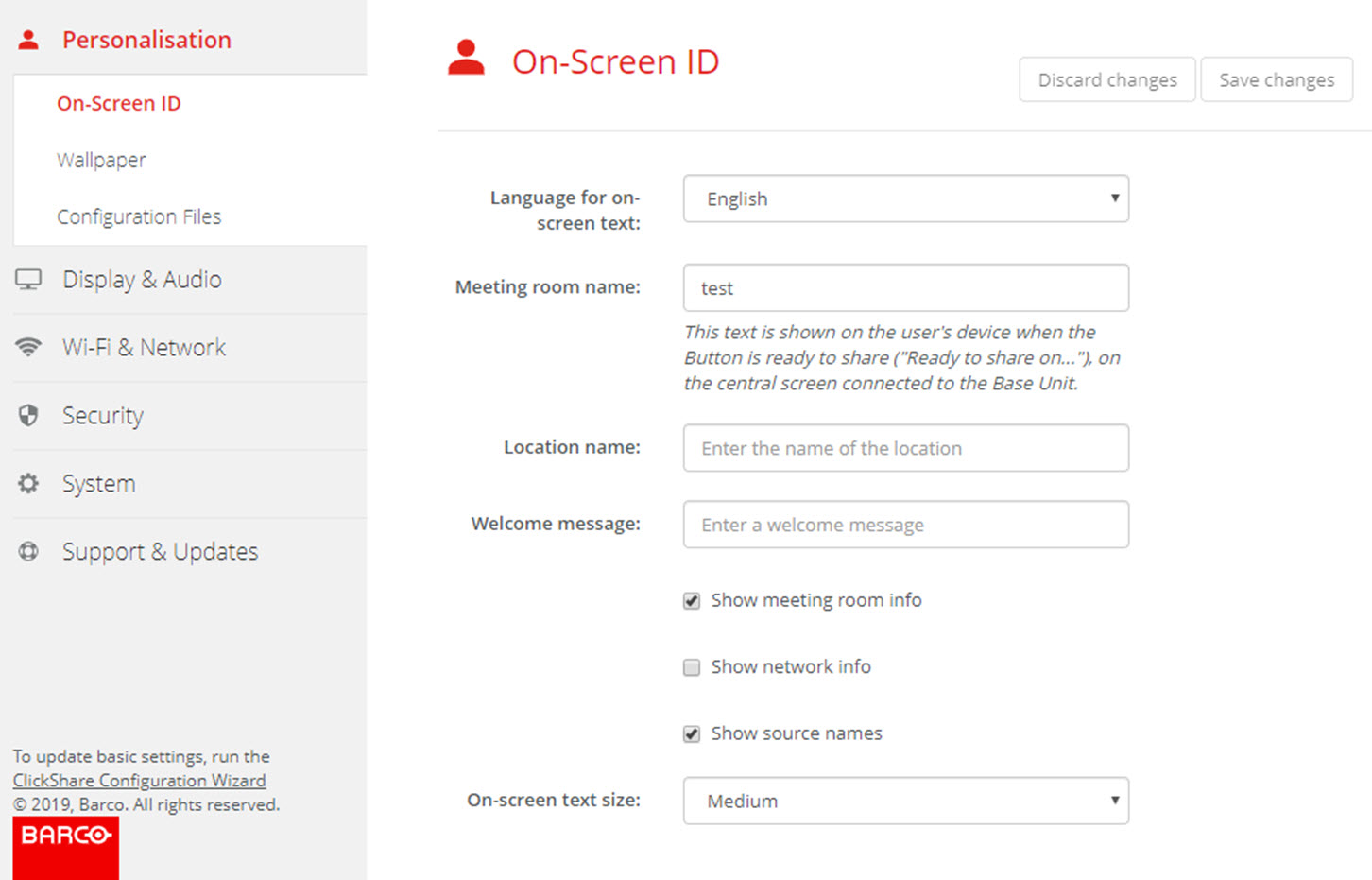

The following settings are possible:
Click in the input field next to and enter a name for the meeting room.
This text is shown on the user's device when the Button is ready to share ("Ready to share on..."), on the central screen connected to the Base Unit and in the list of AirPlay receivers on the user's iOS device.
Check the check box in front of .
Checked: meeting room name, location and welcome message are displayed on-screen when nothing is shared.
Not checked: nothing is shown on-screen.
Check the check box in front of .
Checked: LAN information such as wired IP address, hostname are displayed. Also the Wi-Fi IP address and SSID are displayed.
Not checked: no LAN nor Wi-Fi information is displayed.
Check the check box in front of .
Checked: the source name of the shared content is displayed on the screen.
Not checked: no source info displayed on the screen.