6.27 Buttons

About Buttons

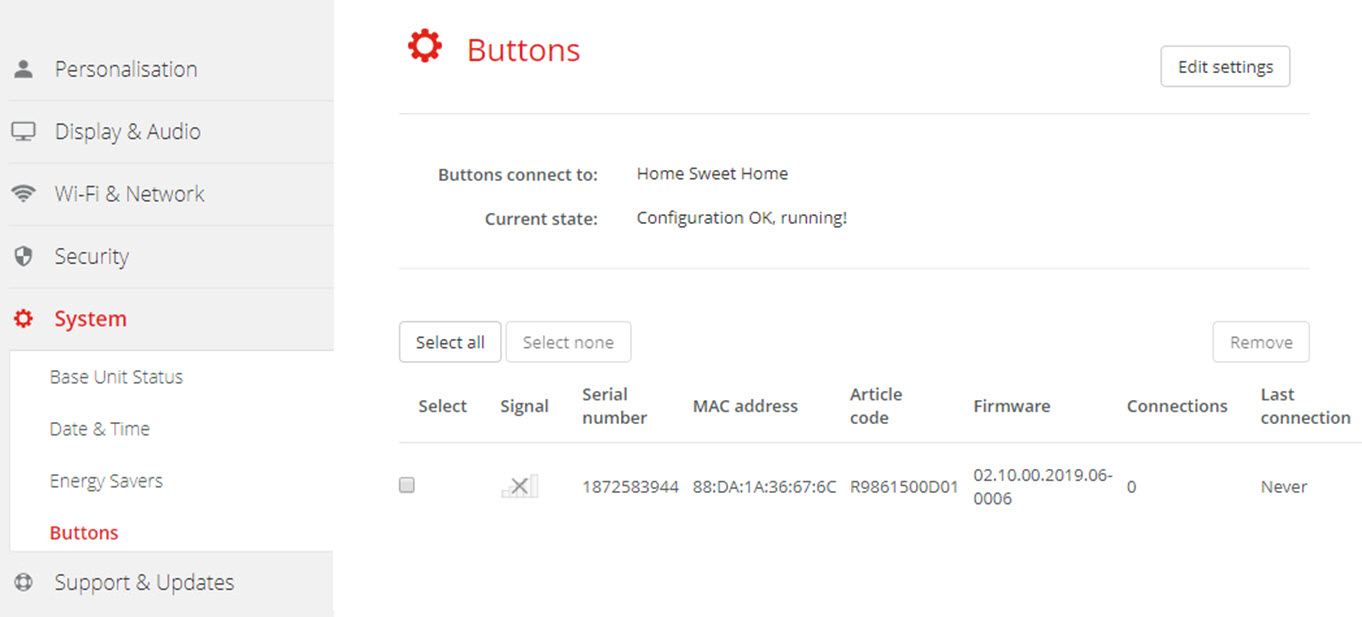
The Button page indicates to which Base Unit the Buttons are connected. It indicates also the current state.

All Buttons used with the Base Unit are indicated in the Buttons List. The list contains the state, the signal strength, the serial number, the firmware version, the number of connections and last connection.

It is possible to update the software of the Buttons over Wi-Fi.
To edit the settings
  1. Log in to the Configurator.
  2. Click SystemButtons.

    Image 6–44 Buttons overview

    The current state is indicated and the list of Buttons is given.

  3. Click Edit settings.
  4. Select to which access point the Buttons are connected. Click on the drop down list next to Buttons connect to and select the desired point.

    Depending on the selection, internal access point or external access point, settings should be filed out.

    For an internal access point, no settings are needed.