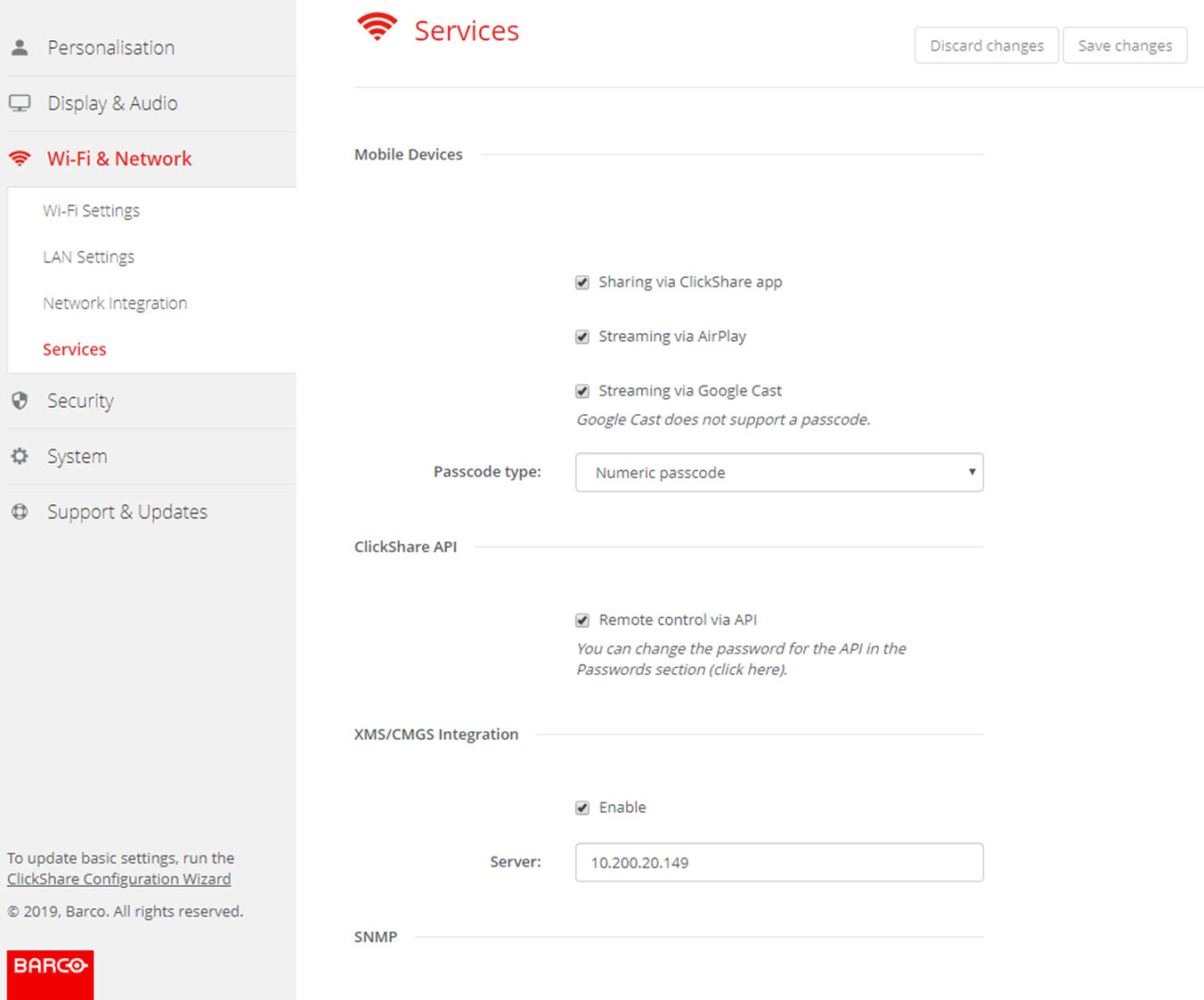
ClickShare app
This function enables the possibility to connect with a mobile device using the ClickShare app to connect to the Base Unit.
It is enabled by default. When the Base Unit is integrated in the corporate network, it may be required to disable content sharing from the ClickShar app.
About streaming information via AirPlay
Before you can stream information and display it via ClickShare your device must be connected with the wireless network of the Base Unit. Then AirPlay must be activated on your device. For more information about activating AirPlay, consult the user guide of your device.
The supported versions of AirPlay can be found on Barco’s website, www.barco.com\clickshare. The support of non-released version of these protocols cannot be guaranteed by Barco.
About streaming via Google Cast
Before you can mirror information and display it via ClickShare your device must be connected with the wireless network of the Base Unit. When activating Google Cast on your device an overview of the access points is given. For more information about using Google Cast, consult the user guide of your device.
The supported versions of Google Cast can be found on Barco’s website, www.barco.com\clickshare. The support of non-released version of these protocols cannot be guaranteed by Barco.
Google Cast does not support a passcode.

Note: Google Cast can only be used when the clock of the Base Unit is set correctly. If not Google Cast cannot make a connection with the Base Unit.