
How to fill out the settings
Fill out a .
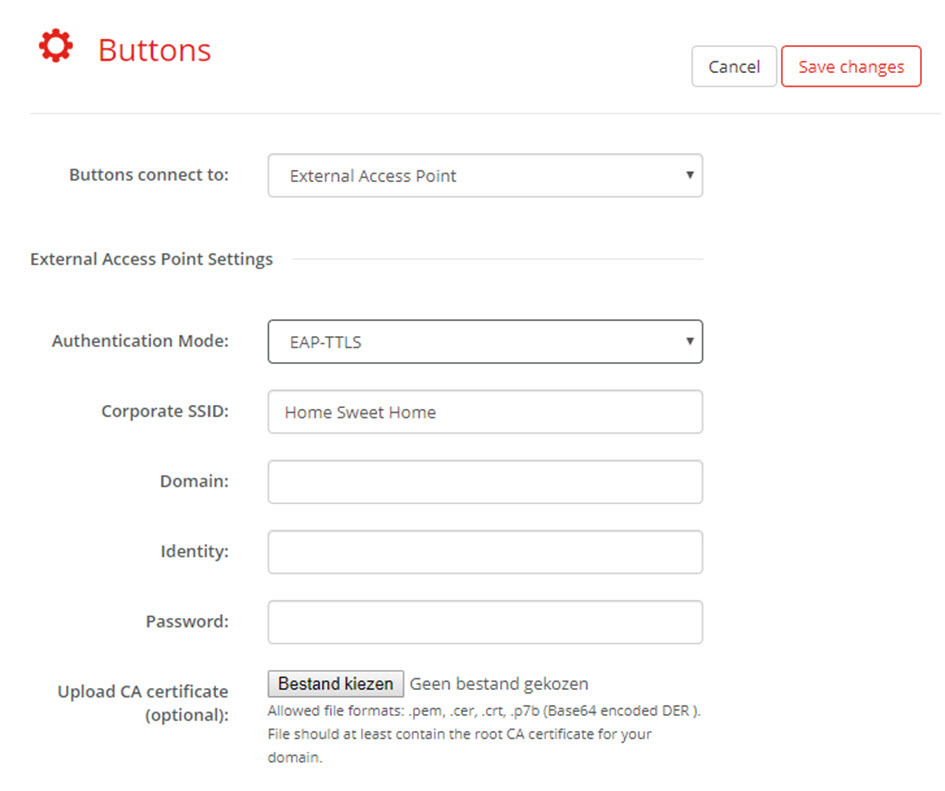
Image 6–48 Buttons, External access point, mode EAP-TTLS The SSID of your corporate wireless infrastructure to which the ClickShare Buttons will connect.
- Fill out the and .
- Enter a .
Upload CA certificate. Click on Choose file and browse to the desired file.
The following formats are allowed:
- .pem
- .cer
- .crt
- .pb7 (Base64 encoded DER)
File should at least contain the root CA certificate for your domain.
- Click Save Changes to save the settings.