About LAN network settings
A network connection can be configured through DHCP or by manually entering a fixed IP address.

A network connection can be configured through DHCP or by manually entering a fixed IP address.

Click → .
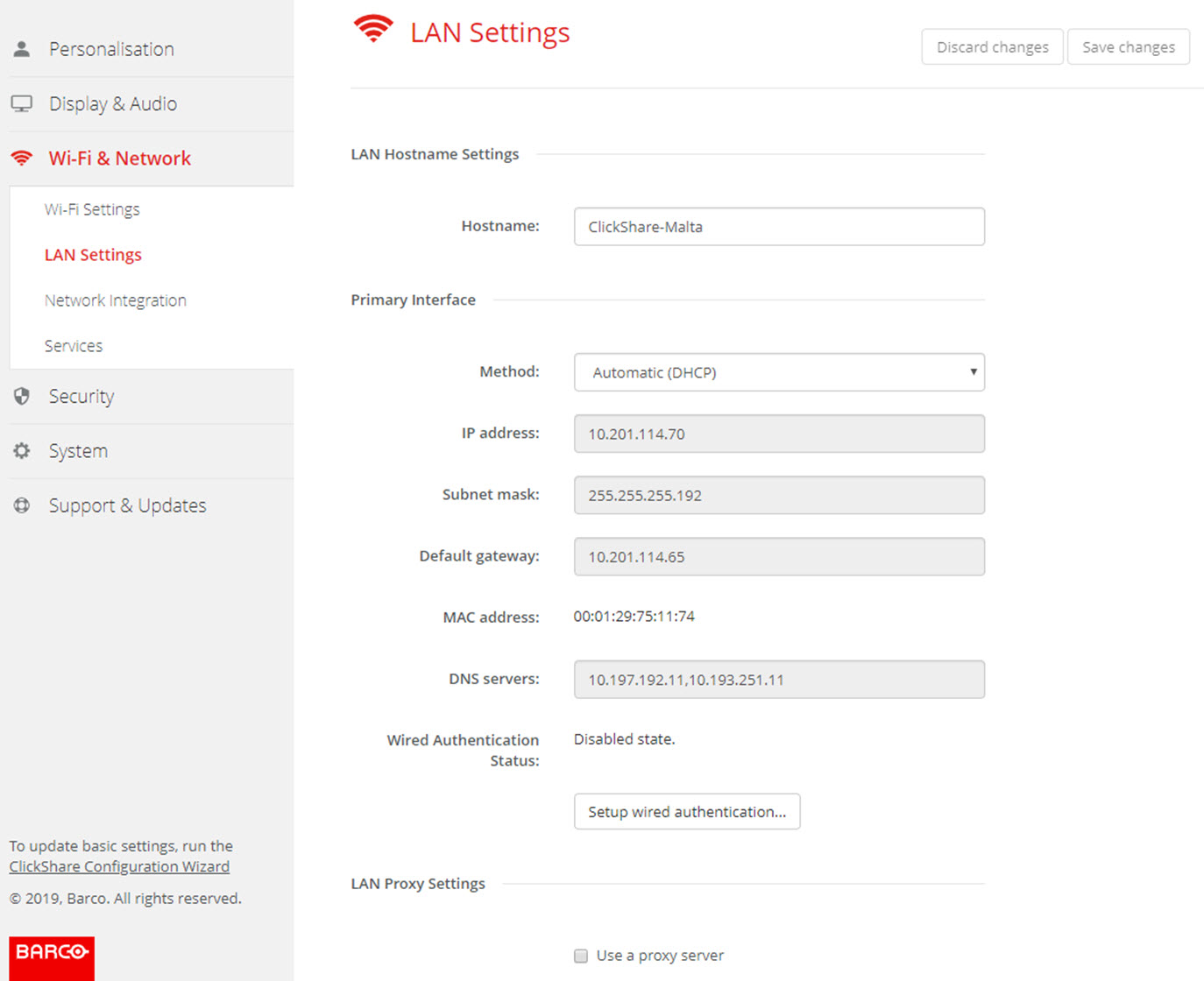
Click in the input field next to and enter a host name for the Base Unit.
The default host name is .
To select the method, click on the drop down box next to Method and select the or .
When Automatic (DHCP) is selected, the IP address, subnet mask and default gateway fields are grayed out but the currently used settings are filled out.
Click on the drop down box next to and select .
The IP address, subnet and gateway input fields are activated.
Click in the input field of the and fill out the 4 octets.

Click in the input fields and fill out the 4 octets. Set the Default-Gateway to the IP-Address of the router (MUST be on the local subnet!).
This setting is important for the auto-update feature of the Base Unit, which require internet access.
Check the check box next to Use a proxy server.
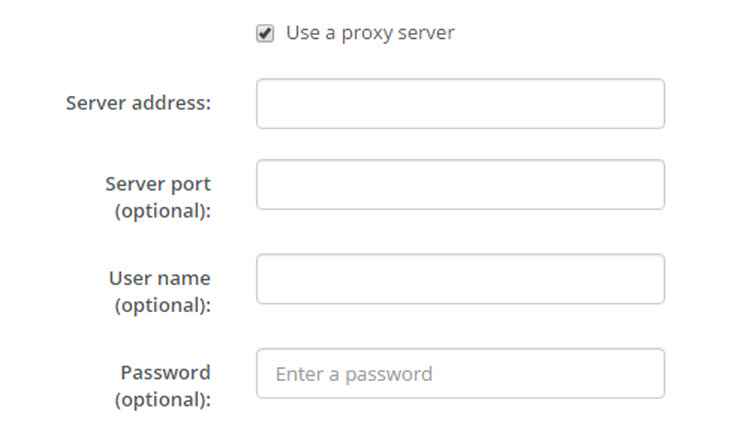
The proxy settings become available.
Enter the proxy server address. Enter the IP address or hostname.
Some proxy servers need a port number, user name and password, for others is this optional.