About Video signal connection
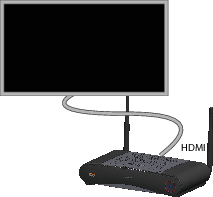
A single screen can be connected to the Base Unit.
To connect a display, an HDMI connection should be made between the Base Unit and the display.

A single screen can be connected to the Base Unit.
To connect a display, an HDMI connection should be made between the Base Unit and the display.
Connect the Base Unit to the display using a display cable.

When setting up a display configuration, connect the HDMI cable to the display. When necessary, use an adapter piece to connect to a display port or a DVI port on the display side.