About power mode
You can power on and off the Base Unit and bring the system in standby mode. In standby mode the system mutes the output signal to the displays. If your display supports this, it will automatically enter power saving mode.

You can power on and off the Base Unit and bring the system in standby mode. In standby mode the system mutes the output signal to the displays. If your display supports this, it will automatically enter power saving mode.
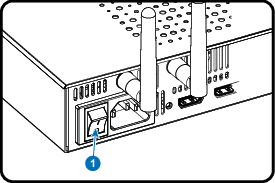
When the Base Unit is shut down, set the rocker switch at the back of the Base Unit to “I”.
If the system does not start up automatically, push the standby button shortly.
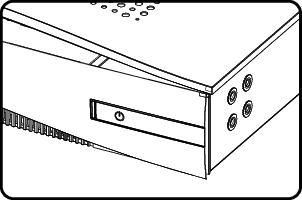
The system is now powered on.
The Base Unit can be shut down in two ways :