Location and availability
- Menu:
 >
> 
- Control Panel: all
 >
> 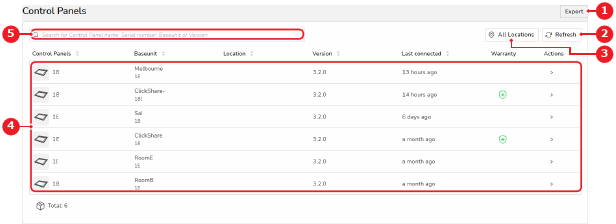
Each line represents a Control Panel. The following information is given per Control Panel:
Icon:
:
version:
 a new upgrade of the firmware is available
 firmware is running more than one version behind the latest available version. An upgrade of the firmware is required
 firmware update has failed
:
 in warranty
 warranty pending
 out of warranty