Overview
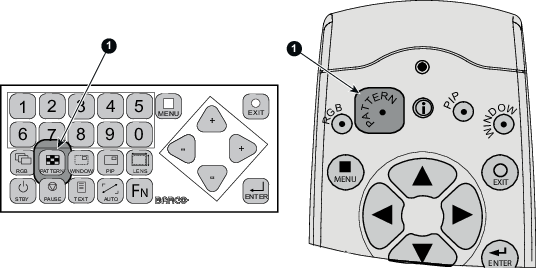
When the adjustment mode is started, a test pattern can be called at any moment just by pressing the Pattern key on the RCU or the local key path. Press as many times on the Pattern key as necessary to display the desired test pattern. The test pattern remains on the screen as long as the adjustment mode is selected, even when selecting other menus. When leaving the adjustment mode, the selected test pattern is cleared and the normal image is displayed again.