11.3.2 Main window size

What can be done?

The size of the main window can be adjusted until the desired window dimensions are reached.
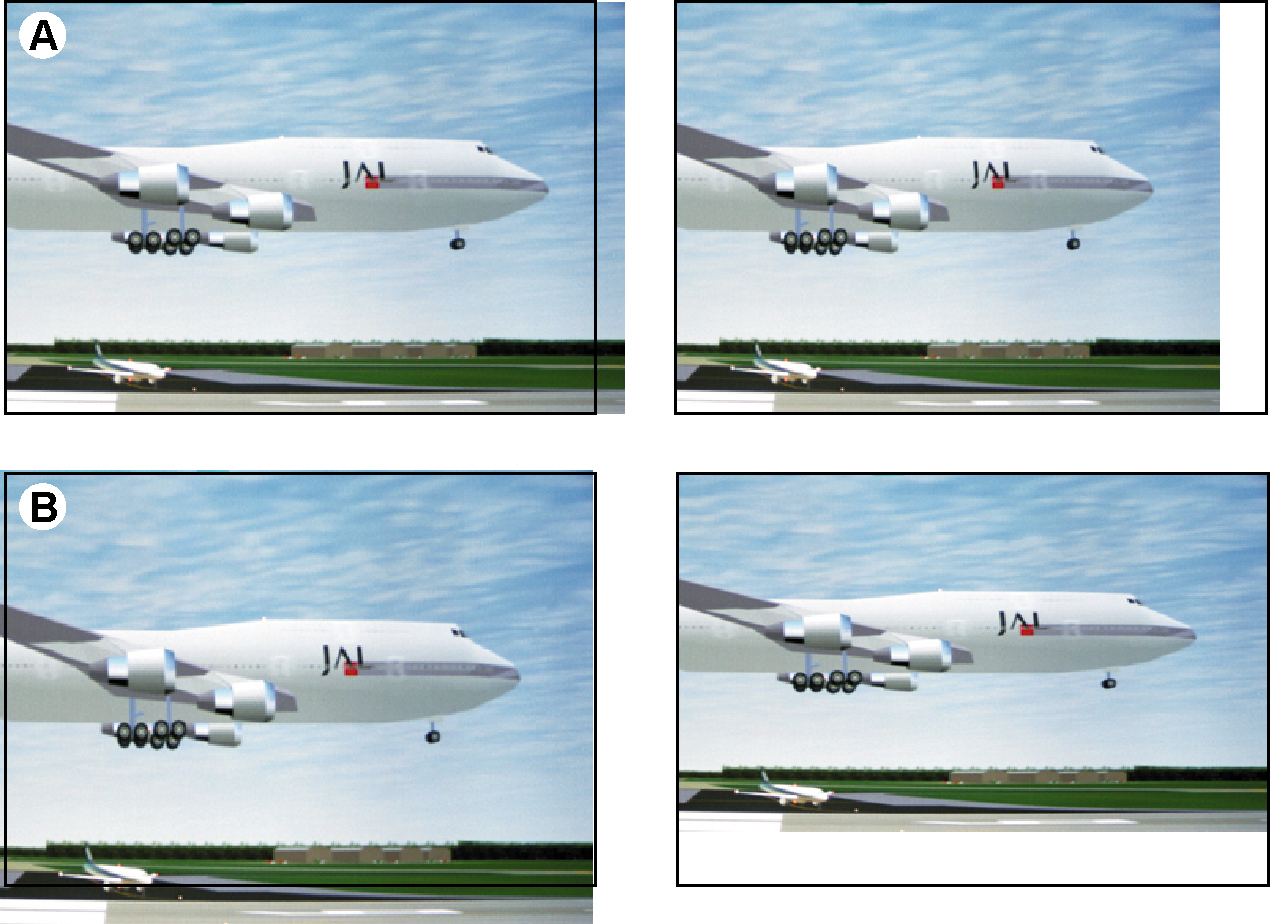
Image 11–6 Size adjustment main window
A
width adjustment
B
height adjustment

The size can be changed with respect to the original aspect ratio by checking the check box in front of Lock.

How to change the size
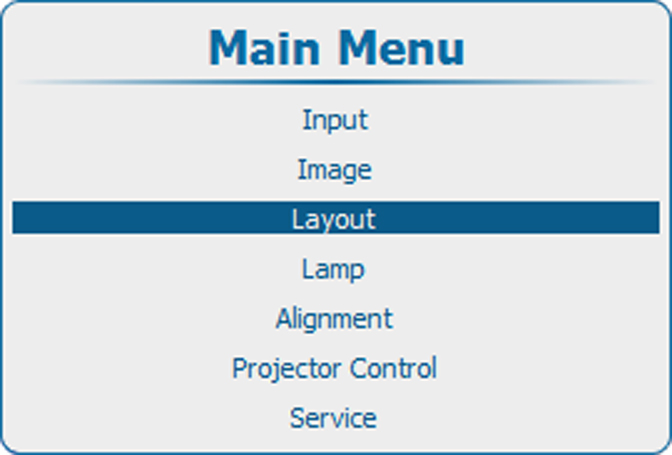
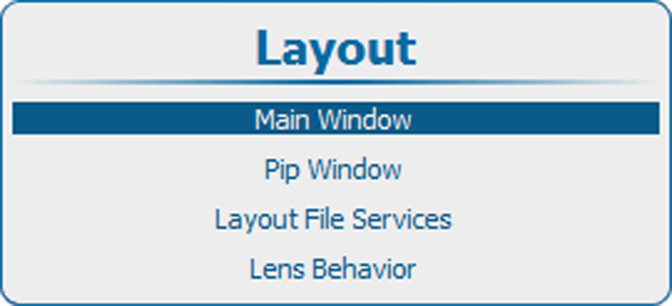
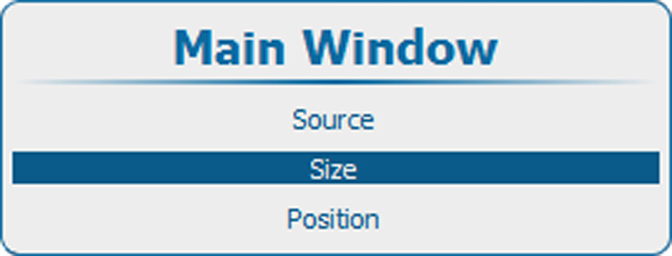
  1. Press Menu to activate the menus and select LayoutMain windowSize.

    Image 11–7 Main menu, layout
    Image 11–8 Layout, main window
    Image 11–9 Main window, size
  2. Press ENTER to select.

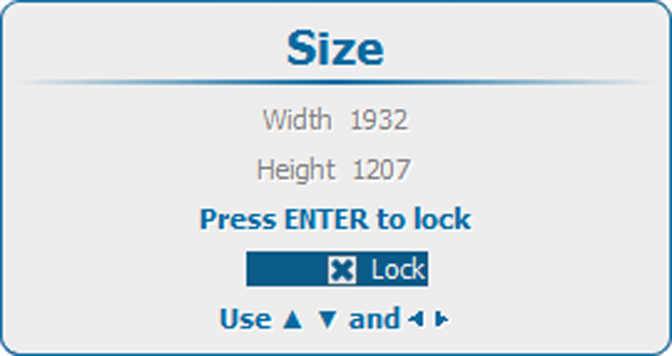
    The Size window opens.

    Image 11–10 Size window
  3. To keep the current aspect ratio, press ENTER to check Lock.

    Once Lock is checked, the width and the height will follow each other when changing one of the dimensions.

  4. Use the ▲ or ▼ key to change the height and the or key to change the width.
  5. When the desired size is reached, press EXIT.

    A Save Layout window opens.

    Image 11–11 Save layout
  6. Use the ▲ or ▼ key to select Yes and press ENTER to save.

    Select No if you want to quit without saving the current position.