About the defaults
With the defaults button, all image settings for a specific source are returned to the default values.

With the defaults button, all image settings for a specific source are returned to the default values.
Press Menu to activate the menus and select → → .
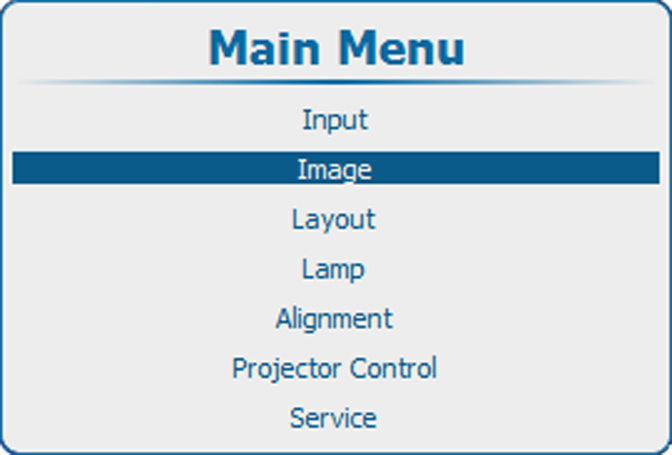
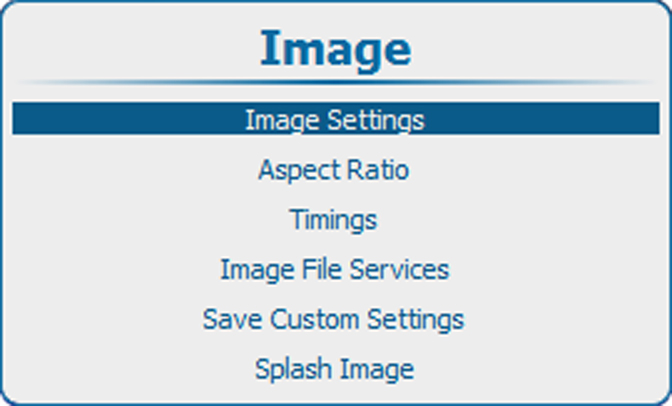
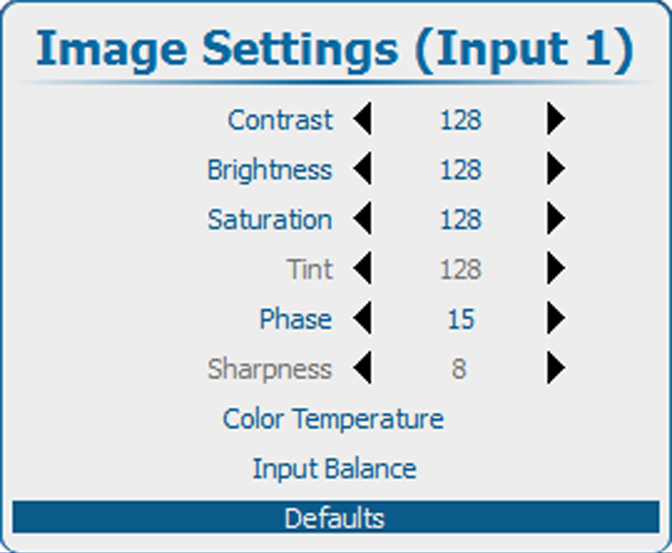
Press ENTER to select.
A confirmation menu is displayed
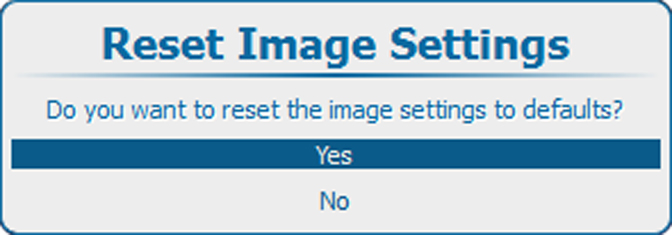
Use the ▲ or ▼ key to select Yes and press Enter to confirm.
The default settings will be applied for the selected source.