
Description
Warping adjustment enables the relocation of pixel groups in an image in order to introduce spacial distortion. To make the procedure comprehensible, there are some rules and features.

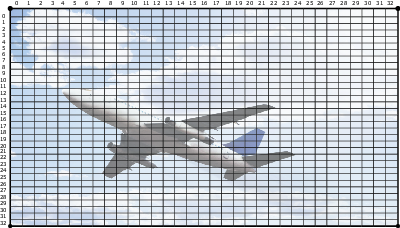
Moving an anchor point causes pixels in the same region to be moved gradually with this one pixel, depending on their distance to it. The size of the region of impact depends on the anchor point: some anchor pixels have impact on the full image, while others have impact on a small area only. The full image is divided in 33 x 33 regions. The smallest region of impact is one of these 1089 regions.
Warp adjustment is divided in six modes:
- 2 x 2 (highest mode);
- 3 x 3;
- 5 x 5;
- 9 x 9;
- 17 x 17;
- 33 x 33 (lowest mode).
The six modes represent 21 levels, each level representing its own group of anchor points.
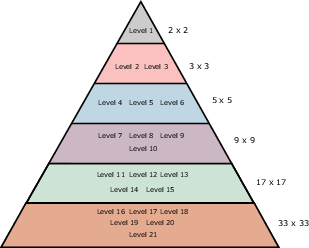
The hierarchy of these levels is very important: each level interacts with all lower levels. Adjusting a point on a certain level affects the points in all or some of the lower levels. The impact depends on the level itself. Therefore it is important to adjust the geometry starting from level one and going down to lower levels as required. In practice it will not be needed to adjust the anchor points of levels 7 and lower.
In 2 x 2 mode, we only have one level, including all four (2 x 2) anchor points, being the image corners. This mode is especially used to correct horizontal and vertical keystone.
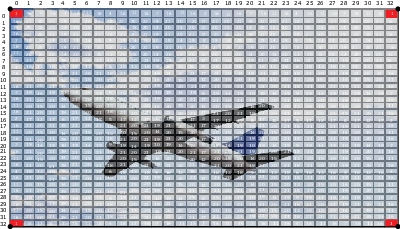
In 3 x 3 mode, the image side centers represent the level two anchor points, whereas the image center represents the level three anchor point. Together with the higher level anchor points (level 1, four anchor points), we come to a total of nine (3 x 3) anchor points in this geometry mode. This mode can be used to fine tune the overlap area in multiple channel display systems and to make corrections to meet curved and double curved screens.
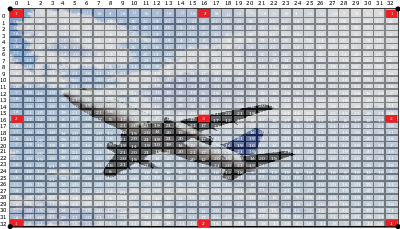
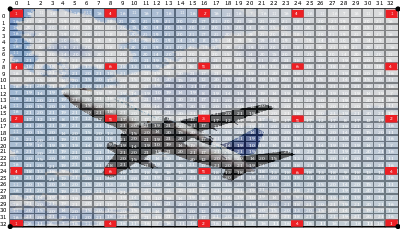
In 5 x 5 mode, we add three more levels, being level four (eight anchor points), level five (four anchor points) and level six (four anchor points). So this mode includes 25 (5 x 5) anchor points in total. See the image below.
This logic can be extrapolated for the lower modes and levels, being level seven to level 21, however in practice these modes and levels are rarely used.