10.8 Splash image

About a splash image

When splash image is on, a dedicated image is displayed after start up and before the normal image is displayed and that for a certain time.

A splash image can be uploaded via Projector Toolset. For more information about uploading a splash image, consult Projector Toolset's user guide.
Enable or disable the splash image
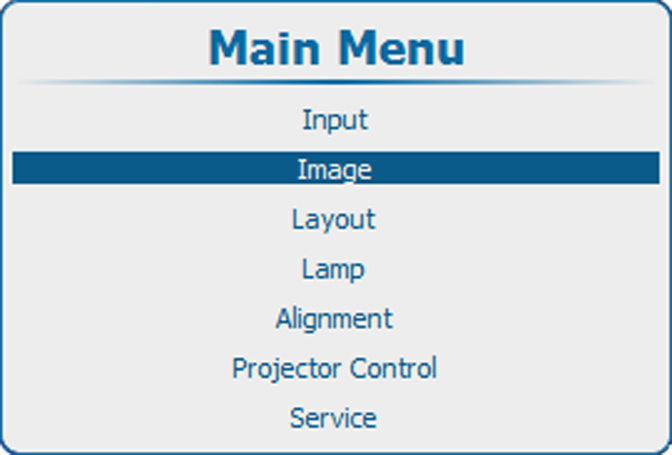
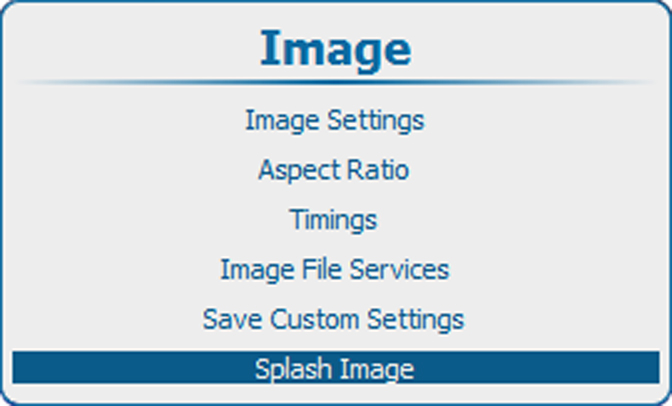
  1. Press Menu to activate the menus and select ImageSplash image

    Image 10–98 Main menu, Image
    Image 10–99 Image, splash image
  2. Select Splash image.

    Image 10–100 Splash image, enabling
  3. Press ENTER to toggle between [On] or [Off].

    OnA splash screen will be displayed at each startup for a certain time (time out)
    OffNo splash screen is displayed at startup
Time-out setup
  1. Press Menu to activate the menus and select ImageSplash image

    Image 10–101 Main menu, Image
    Image 10–102 Image, splash image
  2. Select Timeout(sec)

    Image 10–103 Splash screen, time-out
  3. Press ENTER to open the edit mode.

    Enter the time with 2 digits, e.g. 05 or 15.

    Note: Maximum timeout = 15 seconds.
    Image 10–104 Time-out, input