

How to insert
Loosen both screws of the dummy cover plate (1).
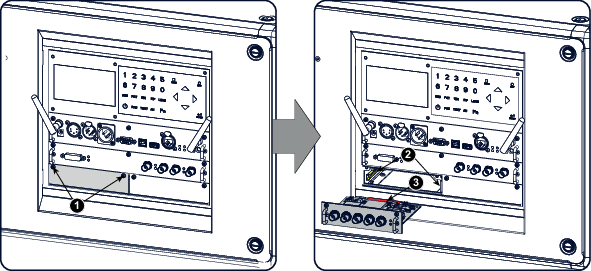
Image 17–1 Insert input module - Take off the dummy cover plate.
Insert the new input module in its compartment.
Make sure the module seats in its sliders (2).
Pull in the module until the contacts (3) are fully inserted into the connectors.
Fixate both fixation screws.
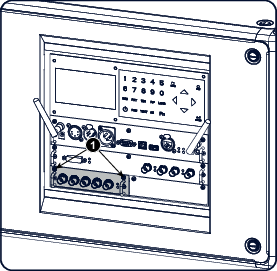
Image 17–2 Fixate input