Once in the menu structure, use the ▲ or ▼ key on the remote control or on the local keypad to scroll through the items in the displayed menu. The selected item will get a background color. To activate a selected submenu or function, press ENTER.
When on a submenu, to return one step to the parent menu, press EXIT.
To escape the menu structure when on a menu, press MENU.
How to make an adjustment?
With the remote control or the local keypad navigate through the menu structure until the desired item is selected. Press the ▲ or ▼ key until the desired item is reached. Press EXIT to finalize the adjustment.
With the local keypad or remote control, press the ▲ or ▼ key until the desired value (setup) is reached. Press EXIT to finalize the adjustment.
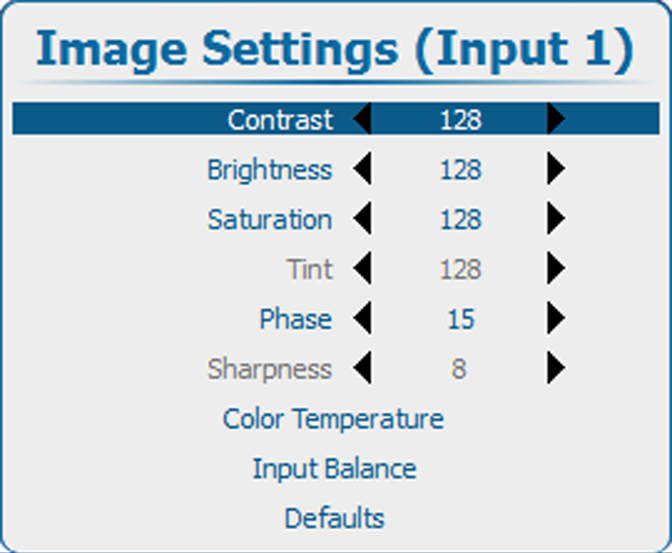
Direct adjustment within the menu:
Image 8–2Image settings, contrast
Use the ◄ or ► key to directly adjust the current value.
or,
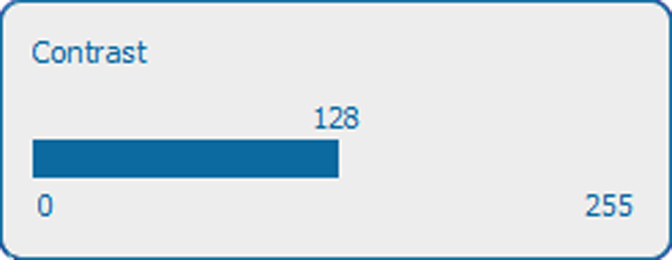
Via bar scale adjustment :
Once an item is selected, press ENTER to open the bar scale menu.
Image 8–3Contrast adjustment
Use the ◄ or ► key to adjust the current value.
The bar scale will move accordingly.
Press EXIT to finalize the adjustment.
or,
When the bar scale is displayed, via direct input. Press ENTER to activate the input field.
Enter the desired value with the digit keys. Press ENTER to accept.